
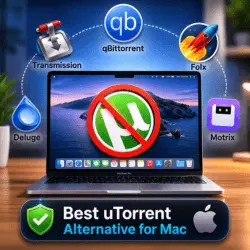
Best uTorrent Alternative for Mac Free Download
Best uTorrent Alternative for Mac: If you are running macOS in 2026 and still trying to manage downloads with uTorrent, you are probably fighting the system more than working with it. The best uTorrent alternative for Mac today is the one that can quietly handle large downloads while you focus on your code editor, database, and browser tabs. For web developers and e‑commerce builders, a torrent client is not a toy; it is a utility for fetching PHP framework bundles, Laravel 2026 starter kits, Symfony updates, design packs, and full project backups.
Because uTorrent is effectively a legacy option on macOS and does not match current expectations for performance, privacy, or Apple silicon support, Mac users have moved on to modern clients. In this guide, you will see why Transmission, qBittorrent, and similar tools are more suitable, how they fit into a technical workflow, and what you should look for when choosing the best uTorrent alternative for Mac.
1. Introduction: Why Replace uTorrent on Mac?
On Windows, uTorrent had a long history as the default torrent client. On Mac, however, it has never felt fully at home on recent versions of macOS. As Apple tightened security, shifted to Apple silicon, and refined its ecosystem, older clients began to feel clunky and outdated. At the same time, open‑source torrent clients matured and delivered a cleaner experience without ads or extra baggage.
For a web developer or e‑commerce builder, this matters in everyday work. Typical use cases include:
- Downloading full PHP framework archives for local testing.
- Grabbing Laravel 2026 demo projects and boilerplates.
- Syncing Symfony updates, plugins, and sample applications.
- Pulling product images, media libraries, or demo store backups as large compressed files.
The best uTorrent alternative for Mac must therefore be lightweight, stable over long sessions, and simple enough that it never interrupts coding, debugging, or store management.
2. Key Features to Look For in a uTorrent Alternative
Before choosing a specific client, it helps to identify the features that actually matter for technical users. A torrent client does not need to be fancy, but it must be reliable and predictable.
2.1 Core Capabilities Best uTorrent Alternative for Mac
The baseline features you should expect from any serious Mac torrent client are:
- Support for both torrent files and magnet links.
- Stable, high‑speed downloads with the ability to pause, resume, and prioritize files.
- Per‑torrent and global speed limits to avoid choking your connection.
- Queue management, so you can keep multiple large downloads under control.
- Basic encryption and tracker management for better privacy.
If a client cannot handle these basics, it is not suited to professional use, no matter how nice it looks.
2.2 Performance and Resource Usage
When you are running local servers, compilation tasks, and browsers full of tabs, resource usage becomes critical. A good best uTorrent alternative for Mac should:
- Use minimal CPU while seeding or downloading.
- Keep memory usage under control even with several torrents active.
- Work smoothly with Apple silicon processors without constant fan noise.
A light client gives you the freedom to run PHP unit tests, Laravel 2026 artisan commands, and Symfony console operations while torrents run quietly in the background.
2.3 Developer‑Friendly Interface
The user interface does not have to be flashy, but it must be clear. For a developer:
- A simple list of torrents with progress, upload, and download speeds is usually enough.
- Clear indicators for errors, paused torrents, and seeding state are essential.
- Consistent keyboard shortcuts and right‑click options save time.
Minimal, focused design matters more than animations or visual gimmicks.
2.4 Integration With Technical Workflows
Finally, consider how well the client plays with the rest of your stack:
- Can you easily direct downloads into dedicated project folders?
- Does it behave well when started and stopped through launchers or scripts?
- Is there a web interface, CLI, or automation hook you might use later?
For many web developers, even small conveniences—like predictable default folders for framework archives—add up.
3. Key Candidates for the Best uTorrent Alternative for Mac
Several clients regularly appear in current Mac torrent discussions. Among them, Transmission and qBittorrent are the most widely recommended, with Mac‑focused all‑in‑one downloaders also earning attention. This section explains why.
3.1 Transmission: Minimal and Native
Transmission has a long history on macOS as a lightweight, open‑source BitTorrent client. It is known for its clean, uncluttered interface and extremely low resource usage. Recent versions include native support for Apple silicon, which means it runs directly on modern Mac processors without translation overhead.
Key characteristics of Transmission
- Minimal interface focused only on what matters.
- Low CPU and RAM usage, even with long‑running torrents.
- Native performance on M‑series chips, ideal for recent MacBooks and desktops.
- Basic but sufficient feature set: magnet links, file selection, and simple scheduling.
For many web developers and e‑commerce builders, Transmission is the default answer to the best uTorrent alternative for Mac because it does its job silently while they work in code editors, browsers, and terminal windows.
3.2 qBittorrent: Powerful Open‑Source Successor
qBittorrent is a cross‑platform, open‑source torrent client built with the explicit goal of being a better replacement for uTorrent. It offers a richer feature set than Transmission, so it is better suited to power users who need fine‑grained control over their downloads.
Key characteristics of qBittorrent Best uTorrent Alternative for Mac
- Familiar multi‑tab interface with detailed torrent statistics.
- Integrated torrent search (when configured) and support for categories.
- Strong queue and bandwidth management, ideal for heavy downloaders.
- Tools for creating your own torrents and managing trackers.
While Transmission focuses on simplicity, qBittorrent focuses on control. If you handle many large torrents at once—such as multiple framework mirrors, sample stores, and media packs—qBittorrent gives you the levers you need.
3.3 Mac‑Focused Download Managers With Torrent Support
Beyond these two, there are Mac‑centric download managers that also support torrents. These applications:
- Offer a native Mac look and feel.
- Combine standard download management (HTTP/HTTPS) with torrent support.
- Often provide scheduling, browser integration, and download tagging.
They make sense if you regularly download assets via direct links and torrents and you want everything managed by a single app.
4. What’s New / Latest Updates in 2026
Although torrent technology is mature, the surrounding ecosystem keeps evolving. For Mac users, a few updates are especially relevant this year.
4.1 Native Apple Silicon Optimization
Modern torrent clients are now compiled for Apple silicon chips by default. This brings:
- Faster UI responses when you add or remove torrents.
- Better throughput under high load, especially when seeding multiple files.
- Lower power usage, important for MacBook users who travel or work unplugged.
For developers working with heavy toolchains—Docker, database servers, and package managers—native Apple silicon support prevents the torrent client from becoming a bottleneck.
4.2 Ongoing Open‑Source Development
Open‑source clients like Transmission and qBittorrent continue to receive security patches, UI improvements, and performance tweaks. This ongoing development is crucial for anyone who values transparency and long‑term reliability. Unlike proprietary tools that might stagnate or add intrusive monetization, these clients tend to evolve with user needs.
4.3 Better Mac UX and Accessibility
Modern Mac torrent clients now pay more attention to accessibility and UX details:
- Cleaner toolbar icons and status indicators.
- Dark‑mode support that matches current macOS themes.
- Clearer dialogs for seeding, ratio limits, and disk usage.
These refinements make a difference when the client is open on a secondary display while you work on a Laravel 2026 backend or a Symfony‑powered API.
5. System Requirements Best uTorrent Alternative for Mac
Torrent clients are generally light, but it is still important to define minimum and recommended requirements—especially when your Mac doubles as a full development machine.
5.1 Minimum Requirements
For a smooth basic experience with modern Mac torrent clients, you should consider the following minimum environment:
- Operating System: macOS 11 or newer.
- Processor: Intel or Apple silicon CPU compatible with your macOS version.
- Memory: At least 4 GB RAM.
- Storage: At least a few hundred megabytes of free space for the client plus room for downloads.
- Network: Stable broadband connection for large torrent transfers.
This level is enough for light use: for example, downloading occasional framework archives, sample projects, or media assets.
5.2 Recommended Requirements for Developers and Store Owners
However, if you are running PHP framework projects, Laravel 2026 apps, and Symfony updates on the same machine, aim higher:
- Operating System: macOS 13 or later, with current security updates.
- Processor: Apple silicon (M1, M2, M3 or newer) for best efficiency.
- Memory: 8 GB RAM or more, especially if you keep multiple containers or VMs running.
- Storage: SSD with generous free space for archives, backups, and large torrents.
At this level, your torrent client will not compete heavily with your IDE, browser, local server, and database tools, even during long download sessions.
6. Pros, Cons and Comparisons
Now it is time to compare the main options head‑to‑head so you can decide which is the best uTorrent alternative for Mac for your specific workload.
6.1 Comparison Table Best uTorrent Alternative for Mac
| Client | Strengths | Weaknesses | Best Use Case |
|---|---|---|---|
| Transmission | Very lightweight, minimal UI, native Mac feel | Fewer advanced features and knobs | Developers who want a fast, invisible client |
| qBittorrent | Feature-rich, strong control over torrents and queues | Interface can feel busy for simple needs | Power users managing many large downloads |
| Mac download manager with torrents | Handles both direct downloads and torrents together | Some features may be locked behind paid tiers | Users who want everything managed in one app |
6.2 Transmission: Pros and Cons
Pros
- Stays out of your way and uses minimal resources.
- Ideal for background downloads while you work on code.
- Matches macOS visually and functionally, with a short learning curve.
Cons
- Not the best choice if you want deep customization, scripting, or a built‑in search interface.
Transmission is a strong default for most web developers and e‑commerce builders: set it up once, choose your download folder strategy, and let it quietly support your workflow.
6.3 qBittorrent: Pros and Cons
Pros
- Advanced queue, bandwidth, and tracker controls.
- Useful for managing many simultaneous torrents across different categories.
- Feels familiar if you previously used uTorrent on another operating system.
Cons
- More options can mean more time spent configuring if your needs are simple.
qBittorrent works best when you are a heavy torrent user, for example when you maintain mirrors of multiple PHP framework versions, keep several test stores ready, or move large archives between teams.
6.4 Mac‑Focused Download Managers With Torrent Support
Pros
- One unified interface for HTTP, HTTPS, and torrent downloads.
- Visual organization of tasks, helpful if you download many different asset types.
Cons
- Some advanced torrent‑specific features may be limited or part of premium tiers.
These are well suited to designers, marketers, or store owners who want less complexity and more visual feedback on downloads, while still benefiting from torrents when needed.
7. Choosing the Best uTorrent Alternative for Mac (For Your Stack)
When you connect torrent usage with real developer tasks, the decision becomes clearer.
- If your typical day is spent inside a code editor, terminal, and browser running a PHP framework, a few Laravel 2026 projects, and a couple of Symfony updates, Transmission is often the best uTorrent alternative for Mac. It is light, reliable, and almost invisible once configured.
- If your role involves managing large volumes of data—for example, full site backups for multiple shops, big image libraries, or virtual machine images—qBittorrent may be better. Its advanced controls let you prioritize critical downloads and keep seeding ratios under control without manual juggling.
- If you switch constantly between direct downloads and torrents, and you prefer a more visual and Mac‑styled interface, a Mac‑focused download manager with torrent support can provide the right balance between simplicity and flexibility.
Whichever route you choose, it is clear that clinging to uTorrent on macOS no longer makes sense. Modern alternatives are faster, more stable, and better aligned with how developers and e‑commerce builders actually use their Macs today.
Download Free: A Better Finder Attributes macOS 7.42
8. Conclusion: Best uTorrent Alternative for Mac
In 2026, the best uTorrent alternative for Mac is the one that quietly supports your technical work instead of demanding attention. For many web developers and e‑commerce builders, that means choosing a client like Transmission for its minimal footprint, or qBittorrent for its power and control. Both options integrate well with workflows built around PHP frameworks, Laravel 2026 projects, and Symfony updates, and both run comfortably on modern macOS hardware.
By replacing uTorrent with a modern client optimized for Mac, you gain a more stable development environment, smoother multitasking, and better control over the large downloads that are part of serious web and e‑commerce projects. In other words, choosing the right torrent client is a small step that helps keep your entire stack clean, fast, and ready for the next deployment.
Homepage: https://worldmacpc.com/
Leave a Reply