
Best Free Alternatives to Photoshop Download for Mac
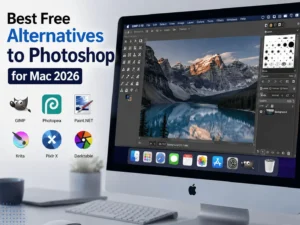
Best Free Alternatives to Photoshop for Mac: Finding the Best Free Alternatives to Photoshop for Mac has become easier than ever in 2026. While Adobe Photoshop remains one of the most powerful photo editing applications in the world, many Mac users prefer free solutions that provide professional features without expensive subscriptions.
Whether you are a photographer, graphic designer, digital artist, content creator, or student, several free image editing programs now offer advanced tools such as layer support, RAW image processing, AI-powered editing, and customizable interfaces.
Best Free Alternatives to Photoshop for Mac
The demand for the Best Free Alternatives to Photoshop continues to grow because modern users want professional editing capabilities while avoiding recurring costs. Fortunately, the macOS ecosystem offers numerous powerful editors that can easily handle photo retouching, graphic design projects, social media graphics, and digital artwork.
This guide explores the top free Photoshop alternatives available for Mac in 2026, including their features, updates, system requirements, advantages, and disadvantages.
Why Look for Best Free Alternatives to Photoshop for Mac?
Adobe Photoshop is an industry standard, but it comes with several limitations:
- Monthly subscription fees
- High hardware requirements
- Steep learning curve
- Some features are unnecessary for casual users
- Requires regular internet verification
The Best Free Alternatives to Photoshop for Mac eliminate these issues while delivering excellent editing capabilities.
Best Free Alternatives to Photoshop for Mac in 2026
1. GIMP (GNU Image Manipulation Program)
Overview
GIMP remains one of the most popular and powerful free photo editors available today. It has matured significantly over the years and now provides many features comparable to Photoshop.
Key Features
- Layer-based editing
- Advanced selection tools
- RAW image support
- Custom brushes
- Plugins and extensions
- PSD file compatibility
- Color correction tools
- Batch image processing
What’s New in 2026
- Faster rendering engine
- Improved macOS optimization
- Better Retina display support
- Enhanced PSD import capabilities
- New non-destructive editing tools
Pros
- Completely free and open-source
- Extensive plugin library
- Highly customizable
- Large community support
Cons
- Interface can feel complex
- Some advanced Photoshop features are missing
2. Krita
Overview
Krita is one of the Best Free Alternatives to Photoshop for Mac for digital artists and illustrators.
Key Features
- Professional brush engine
- Layer management
- Animation support
- HDR painting
- Drawing assistants
- Advanced color management
What’s New in 2026
- Improved brush stabilization
- Faster canvas rendering
- Enhanced Apple Silicon optimization
- Better PSD compatibility
Pros
- Excellent for digital painting
- Free and open-source
- Professional-level tools
Cons
- Not ideal for heavy photo manipulation
- Some tools require learning
3. Photopea
Overview
Photopea is a browser-based image editor that closely resembles Photoshop’s interface.
Key Features
- PSD support
- Layer editing
- Smart objects
- Text editing
- Vector tools
- Filters and effects
What’s New in 2026
- Faster cloud performance
- New AI selection tools
- Enhanced export options
- Better font management
Pros
- No installation required
- Works on any Mac
- Supports Photoshop files
Cons
- Requires internet connection
- Ads in free version
4. Pixlr
Overview
Pixlr offers a simple and user-friendly editing experience suitable for beginners and professionals alike.
Key Features
- AI background removal
- Templates
- Layer editing
- Filters
- Graphic design tools
What’s New in 2026
- Improved AI tools
- Faster cloud synchronization
- New text effects
- Enhanced templates
Pros
- Easy to use
- Modern interface
- Quick editing workflow
Cons
- Limited advanced features
- Internet required
5. Darktable
Overview
Darktable is perfect for photographers who need RAW image editing.
Key Features
- Non-destructive editing
- RAW processing
- Color grading
- Lens correction
- Batch processing
What’s New in 2026
- Faster export engine
- Improved noise reduction
- Better Apple Silicon support
- Enhanced color profiles
Pros
- Excellent for photographers
- Professional color management
- Completely free
Cons
- Not intended for graphic design
- Learning curve for beginners
6. Canva Free
Overview
Canva has evolved into a complete graphic design platform and is now considered among the Best Free Alternatives to Photoshop for Mac for content creators.
Key Features
- Templates
- Drag-and-drop editor
- Social media graphics
- Collaboration tools
- AI image generation
What’s New in 2026
- Enhanced AI editing tools
- New templates
- Better team collaboration
- Faster export options
Pros
- Beginner-friendly
- Massive template library
- Cloud-based
Cons
- Limited advanced photo editing
- Some features require premium plans
Comparison Table
| Software | Best For | PSD Support | RAW Support | Layer Editing |
|---|---|---|---|---|
| GIMP | Photo Editing | Yes | Yes | Yes |
| Krita | Digital Art | Yes | Limited | Yes |
| Photopea | General Editing | Yes | Yes | Yes |
| Pixlr | Quick Editing | Limited | No | Yes |
| Darktable | Photography | No | Yes | Limited |
| Canva | Graphic Design | No | No | Yes |
Key Features to Look For
When choosing the Best Free Alternatives to Photoshop for Mac, consider these important features.
Layer-Based Editing Best Free Alternatives to Photoshop for Mac
Layers are essential for professional image editing and non-destructive workflows.
RAW Image Processing
Photographers require RAW support for maximum image quality and control.
PSD Compatibility
Being able to open Photoshop files makes collaboration much easier.
AI-Powered Tools
Modern editors now include:
- Object selection
- Background removal
- Smart retouching
- Automatic enhancements
Apple Silicon Optimization
Applications optimized for M1, M2, M3, and newer Apple chips offer better performance and battery life.
Latest Updates in 2026
The market for free image editing software has evolved significantly in 2026.
Major Trends
Artificial Intelligence Integration
AI tools now handle:
- Automatic object removal
- Smart masking
- Image enhancement
- Noise reduction
Better Performance
Most editors now support:
- Apple Silicon processors
- GPU acceleration
- Faster rendering engines
Cloud Integration
Many editors now offer:
- Cloud storage
- Collaboration tools
- Browser-based editing
System Requirements Best Free Alternatives to Photoshop for Mac
| Component | Requirement |
|---|---|
| Operating System | macOS Monterey or later |
| Processor | Intel Core i5 or Apple M1 |
| RAM | 4GB |
| Storage | 2GB free space |
| Graphics | Integrated GPU |
Minimum Requirements Best Free Alternatives to Photoshop for Mac
Recommended Requirements
| Component | Requirement |
|---|---|
| Operating System | macOS Sequoia or later |
| Processor | Apple M2, M3, or newer |
| RAM | 8 GB or more |
| Storage | 10 GB SSD |
| Graphics | Dedicated GPU or Apple Silicon GPU |
Pros and Cons of Free Photoshop Alternatives
Advantages
Cost Savings
The biggest benefit of the Alternatives to Photoshop for Mac is that they eliminate expensive subscription fees.
Open-Source Flexibility
Many programs allow customization through plugins and extensions.
Lightweight Performance
Several alternatives consume fewer resources than Photoshop.
Beginner Friendly Best Free Alternatives to Photoshop for Mac
Some applications are easier to learn and use.
Disadvantages
Limited Professional Features
Not every free editor includes:
- CMYK workflow
- Advanced 3D tools
- Professional printing options
Compatibility Issues
Some Photoshop files may not open perfectly.
Smaller Ecosystems
Third-party plugin support can be limited.
Which Photoshop Alternative Is Best for You?
For Photographers
Choose:
- Darktable
- GIMP
For Digital Artists
Choose:
- Krita
- GIMP
For Beginners
Choose:
- Canva
- Pixlr
For Professional Designers
Choose:
- GIMP
- Photopea
Frequently Asked Questions
Is there a free version of Photoshop for Mac?
Adobe provides only a limited trial. However, there are many excellent free alternatives.
Which free Photoshop alternative is closest to Photoshop?
Photopea offers the most similar interface and functionality.
Is GIMP better than Best Free Alternatives to Photoshop for Mac?
For many users, GIMP provides enough features without subscription costs.
Which free editor is best for photographers?
Darktable is an excellent option for RAW image editing and color correction.
SEO Considerations and Industry Trends
Interestingly, the software industry has adopted many technologies that improve creative applications. Developers increasingly rely on modern frameworks and technologies, including PHP framework solutions, cloud services, and automation tools.
Similarly, web applications supporting online image editing platforms continue to evolve with technologies inspired by Laravel 2026 innovations and recent Symfony updates, enabling faster cloud-based editing experiences and collaborative workflows.
These technological improvements continue to shape the future of the Best Free Alternatives to Photoshop for Mac.
Download Free: Swift Publisher 5.7.6 for Mac
Best Free Alternatives to Photoshop for Mac
Conclusion: Best Free Alternatives to Photoshop for Mac
The search for the Best Free Alternatives to Photoshop for Mac no longer means compromising on quality. In 2026, free applications provide professional-level editing tools, advanced features, and excellent performance on modern Mac systems.
For complete photo editing capabilities, GIMP remains one of the strongest choices. Digital artists will appreciate Krita, photographers can rely on Darktable, and beginners may prefer Canva or Pixlr. Meanwhile, Photopea offers a Photoshop-like experience directly in a web browser.
Choosing the right software depends on your workflow, experience level, and creative requirements. Fortunately, the Alternatives to Photoshop for Mac offer enough flexibility and power to satisfy nearly every type of user without requiring expensive subscriptions.
Homepage: https://worldmacpc.com/
Leave a Reply