

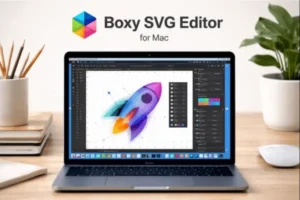
Boxy SVG Editor for Mac
Boxy SVG Editor for Mac is a modern, lightweight, and highly efficient vector graphics application designed specifically for working with SVG (Scalable Vector Graphics) files on macOS. It is widely used by graphic designers, UI/UX professionals, web developers, and digital creators in the USA who need precise control over SVG assets without relying on heavy, subscription-based design suites.
Unlike traditional vector editors that focus on multiple file formats, Boxy SVG Editor is purpose-built for SVG creation and editing. This focused approach allows it to deliver faster performance, cleaner output code, and a workflow that aligns perfectly with modern web and app design standards. As SVG has become the backbone of responsive design, icon systems, and scalable UI components, Boxy SVG Editor for Mac fills a critical gap by offering a dedicated SVG-first solution for macOS users.
Boxy SVG Editor for Mac
Another key advantage is its balance between simplicity and power. Beginners can quickly create and edit icons, logos, and illustrations, while advanced users can directly manipulate SVG structure, attributes, and paths with pixel-level accuracy. With native macOS support and compatibility with Apple Silicon, Boxy SVG Editor for Mac provides a smooth and responsive experience even on large or complex vector projects.
Key Features of Boxy SVG Editor for Mac
Native SVG-First Workflow
Boxy SVG Editor for Mac is built entirely around the SVG standard. Instead of converting SVG into a proprietary format, it works directly with SVG files, ensuring clean, standards-compliant output. This makes it ideal for web designers and developers who want SVG files that are lightweight, readable, and ready for production use.
Every element you create—paths, shapes, text, gradients, and effects—maps directly to SVG markup. As a result, what you see visually is closely aligned with what browsers and applications will render.
Advanced Vector Drawing Tools
The software includes a complete set of vector drawing tools suitable for professional design work. These include pen and bezier tools for precise path creation, shape tools for rectangles, ellipses, polygons, and stars, and boolean operations for combining or subtracting shapes.
Path editing is particularly strong, allowing you to adjust anchor points, handles, and curves with precision. This makes Boxy SVG Editor for Mac suitable not only for simple icons but also for complex illustrations and interface assets.
Clean and Editable SVG Code Boxy SVG Editor for Mac
One of the standout features is the ability to inspect and edit SVG source code directly. Designers who collaborate with developers appreciate this capability, as it allows fine-tuning of attributes such as viewBox, transforms, IDs, classes, and inline styles.
For developers, this means SVGs exported from Boxy SVG Editor integrate smoothly into HTML, CSS, and JavaScript workflows without unnecessary bloat or restructuring.
UI and Web Design Friendly Features
Boxy SVG Editor for Mac is especially popular among UI and web designers. It supports grids, snapping, alignment tools, and pixel-perfect positioning, which are essential for interface design. You can easily create scalable icons, buttons, and layout components that remain sharp across all screen sizes and resolutions.
Because SVG is resolution-independent, assets created in Boxy SVG Editor work equally well on standard displays, Retina screens, and high-density mobile devices.
Typography and Text Control
Text handling in Boxy SVG Editor is flexible and reliable. You can add, edit, and style text elements using system fonts or custom fonts. Text can be converted into paths for maximum compatibility, which is especially useful when exporting logos or branding assets.
Kerning, alignment, and transformation options allow designers to fine-tune typography for visual balance and consistency.
Styling, Gradients, and Effects
The application supports solid colors, gradients, strokes, opacity, and basic effects commonly used in SVG design. Linear and radial gradients can be customized in detail, making it possible to create modern, flat, or semi-realistic designs depending on your needs.
Because effects are applied in SVG-native ways, the resulting files remain efficient and compatible with modern browsers and frameworks.
Cross-Platform Compatibility
Although this version targets macOS users, the SVG files created with Boxy SVG Editor for Mac remain fully compatible across platforms. Files can be opened and edited in browsers, code editors, and other SVG-aware tools without loss of fidelity.
This makes it ideal for teams in the USA that collaborate across different operating systems but rely on SVG as a shared design format.
What’s New / Latest Updates Boxy SVG Editor for Mac
Photomator 3.4.13 macOS
Recent updates to Boxy SVG Editor for Mac have focused on performance improvements, macOS compatibility, and workflow refinements rather than unnecessary feature bloat. This aligns with the software’s philosophy of staying fast, stable, and standards-compliant.
Improved macOS and Apple Silicon Support
The latest builds offer smoother performance on modern macOS versions and full compatibility with Apple Silicon processors. This results in faster rendering, more responsive editing, and lower resource usage on MacBooks, iMacs, and Mac Studios.
Enhanced Stability and Bug Fixes
Updates have addressed common workflow issues such as path editing glitches, text rendering inconsistencies, and export reliability. These refinements ensure that SVG files behave consistently across browsers and devices.
UI Refinements and Workflow Tweaks
Minor but meaningful interface improvements have made frequently used tools easier to access. Panel organization, keyboard shortcuts, and context menus have been refined to reduce friction during long design sessions.
Standards Compliance Improvements
The latest versions continue to improve SVG standard compliance, ensuring that generated files follow best practices and render correctly across modern browsers, frameworks, and design systems.
System Requirements for Boxy SVG Editor for Mac
Minimum Requirements
These specifications are sufficient for basic SVG creation, icon design, and light vector work:
- Operating System: macOS 11 Big Sur or later
- Processor: Intel-based Mac or Apple Silicon (M1 or later)
- Memory (RAM): 4 GB
- Storage: Approximately 200 MB of free disk space
- Display: Standard macOS-supported display
Recommended Requirements
For professional designers and developers in the USA working with complex SVG illustrations and large projects:
- Operating System: Latest macOS version
- Processor: Apple Silicon (M1, M2, or newer)
- Memory (RAM): 8 GB or more
- Storage: SSD with ample free space for design assets
- Display: High-resolution or Retina display for precise editing
Meeting the recommended requirements ensures smoother zooming, faster rendering, and a more responsive overall experience.
Pros and Cons of Boxy SVG Editor for Mac
Pros
- Dedicated SVG-first design workflow
- Lightweight and fast compared to full design suites
- Clean, standards-compliant SVG output
- Excellent for web, UI, and icon design
- Native macOS and Apple Silicon support
- Ideal alternative to heavier vector editors for SVG tasks
Cons
- Focused on SVG only, not suitable for multi-format vector workflows
- Fewer advanced illustration effects compared to large design suites
- May feel limited for users expecting all-in-one graphic design software
Conclusion: Boxy SVG Editor for Mac
Boxy SVG Editor for Mac is an excellent choice for designers and developers in the USA who work extensively with SVG graphics and want a clean, efficient, and purpose-built solution on macOS. Its SVG-first approach, combined with precise vector tools and editable code output, makes it particularly valuable for modern web and UI design workflows.
Rather than trying to replace full-scale graphic design suites, Boxy SVG Editor focuses on doing one thing exceptionally well: creating and editing high-quality SVG files. This focus results in faster performance, cleaner files, and a workflow that aligns perfectly with responsive design and modern development practices.
For Mac users who need reliable SVG design software without unnecessary complexity or subscription overhead, Boxy SVG Editor for Mac stands out as a practical, professional, and future-proof solution.
Adobe InDesign For Mac 2026 v21.2
Homepage: https://worldmacpc.com/
Leave a Reply