

TechSmith Camtasia
TechSmith Camtasia: has long been recognized as one of the most reliable screen recording and video editing tools for creators, educators, and professionals. With the release of TechSmith Camtasia 2026.0.5, the software continues to evolve, offering improved performance, modern editing tools, and better optimization for current operating systems and hardware.
Designed for users who want to create professional-quality tutorials, presentations, product demos, online courses, and marketing videos, Camtasia combines screen recording and video editing into a single, user-friendly platform. This makes it an excellent choice for beginners while still offering enough advanced features for experienced creators.
In this detailed guide, we explore TechSmith Camtasia 2026.0.5, covering its key features, latest updates, system requirements, advantages, limitations, and overall value. Whether you are a content creator, educator, business professional, or student, this article will help you understand if Camtasia is the right creative tool for your workflow.
Mac Creative Tools:Best Apps for Designers, Video Editors & Musicians
Screenshot
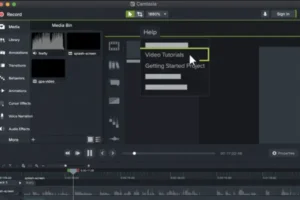
Key Features of TechSmith Camtasia 2026.0.5 Screen Recorder
TechSmith Camtasia is known for its balance between simplicity and professional functionality. The 2026.0.5 version builds on this reputation with refined tools and performance improvements.
Screen Recording Features in TechSmith Camtasia
Camtasia allows users to record their entire screen, specific windows, or selected regions with excellent clarity. You can also record system audio, microphone input, and webcam footage simultaneously, making it ideal for tutorials, walkthroughs, and online teaching.
The recording engine is optimized to capture smooth motion and crisp visuals, even during complex on-screen activity such as software demonstrations or slide presentations.
Integrated Video Editing Timeline
One of Camtasia’s biggest strengths is its built-in video editor. After recording, clips are automatically placed on a multi-track timeline where users can trim, split, and arrange footage easily.
The drag-and-drop interface allows for fast editing without the steep learning curve found in advanced video editors. This makes Camtasia particularly suitable for creators who want results quickly without sacrificing quality.
Professional Annotations and Callouts
Camtasia includes a wide range of annotations such as arrows, shapes, text overlays, and highlights. These tools are essential for tutorials and instructional videos, as they help guide viewer attention and improve understanding.
Users can customize colors, fonts, animations, and timing to match branding or presentation needs.
Built-in Transitions and Visual Effects
To enhance video flow, Camtasia provides a library of transitions and visual effects. These can be applied between clips or used to emphasize key moments in a video.
Effects such as zoom and pan, cursor effects, and animations are especially useful for screen recordings, allowing creators to focus attention on important areas of the screen.
Audio Editing and Enhancement Tools
Clear audio is critical for professional videos, and Camtasia offers built-in audio editing features to help achieve this. Users can reduce background noise, normalize volume levels, and adjust audio timing directly within the editor.
These tools are particularly helpful for educators, podcasters, and online instructors who rely on voice clarity.
Ready-to-Use Templates and Assets
Camtasia 2026.0.5 includes pre-designed templates, intros, outros, lower thirds, and motion assets. These elements allow users to maintain consistent branding and speed up the production process.
Templates are especially useful for businesses and educators who produce recurring content such as training videos or course modules.
Multiple Export and Sharing Options
Once editing is complete, Camtasia allows users to export videos in multiple formats optimized for platforms like YouTube, Vimeo, learning management systems, and local playback.
Custom export presets help ensure the right balance between video quality and file size.
What’s New in TechSmith Camtasia 2026.0.5
The 2026.0.5 release introduces several refinements that improve performance, usability, and compatibility with modern systems.
Performance Improvements
This version offers faster rendering times and smoother playback, especially on newer hardware. Projects with multiple tracks, effects, and high-resolution recordings now feel more responsive during editing.
Improved Stability and Bug Fixes
TechSmith Camtasia 2026.0.5 addresses several stability issues reported in previous releases. Crashes, export errors, and timeline glitches have been reduced, resulting in a more reliable editing experience.
Enhanced User Interface Refinements
Minor interface updates make frequently used tools easier to access. Timeline navigation, asset management, and editing controls have been streamlined for better workflow efficiency.
Better Hardware and OS Compatibility
The latest version improves compatibility with modern operating systems and updated hardware drivers. This ensures smoother operation and longer-term usability for creators working on current systems.
TechSmith Camtasia 2026.0.5 System Requirements
Before installing TechSmith Camtasia 2026.0.5, it is important to ensure your system meets the required specifications for optimal performance.
Minimum System Requirements
- Operating System: Modern 64-bit Windows or macOS version
- Processor: Multi-core CPU
- Memory: 8 GB RAM
- Storage: At least 4 GB of free disk space for installation
- Display: 1280×800 resolution
- Graphics: Integrated GPU with updated drivers
These requirements allow Camtasia to run, but performance may be limited for large or complex projects.
Recommended System Requirements
- Operating System: Latest stable version of Windows or macOS
- Processor: Multi-core CPU with higher clock speed
- Memory: 16 GB RAM or more
- Storage: SSD with sufficient free space for media files
- Display: Full HD or higher resolution
- Graphics: Dedicated or high-performance integrated GPU
Meeting the recommended requirements ensures smoother editing, faster rendering, and better overall stability.
Pros and Cons of TechSmith Camtasia 2026.0.5
Like any creative tool, Camtasia has strengths and limitations. Understanding both helps users decide if it fits their needs.
Pros
- Easy-to-use interface suitable for beginners
- All-in-one screen recording and video editing solution
- High-quality annotations and tutorial-focused tools
- Reliable performance for educational and professional content
- No steep learning curve compared to advanced editors
Cons
- Limited advanced color grading features
- Not designed for cinematic or complex film editing
- Higher cost compared to basic screen recorders
- Fewer customization options than professional video editors
Who Should Use TechSmith Camtasia?
TechSmith Camtasia 2026.0.5 is ideal for:
- Educators and online instructors creating courses
- YouTubers and content creators producing tutorials
- Businesses creating training and product demo videos
- Marketers developing explainer videos
- Students working on presentations and projects
Users looking for fast, professional results without complex editing workflows will benefit the most from Camtasia.
How TechSmith Camtasia Fits into a Creative Workflow
Camtasia works best as part of a focused creative setup. For example:
- Pair Camtasia with graphic design tools for custom visuals
- Use external microphones for improved audio quality
- Combine with cloud storage for project backups
- Export videos for further refinement in advanced editors if needed
This flexibility allows Camtasia to adapt to various production needs.
Conclusion
TechSmith Camtasia 2026.0.5 remains one of the most practical and reliable screen recording and video editing tools available today. Its strength lies in simplicity, stability, and efficiency, making it a favorite among educators, creators, and professionals worldwide.
While it may not replace high-end cinematic video editors, Camtasia excels at what it is designed for: creating clear, engaging, and professional instructional content with minimal effort. The latest updates further refine performance, improve stability, and ensure compatibility with modern systems.
For anyone seeking an easy-to-learn yet powerful creative tool for screen recording and video editing, TechSmith Camtasia 2026.0.5 is a solid and dependable choice.
Top Mac Creative Apps for Designers, Video Editors, and Musicians
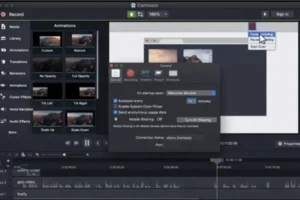
Screenshot
Homepage: https://worldmacpc.com/
Leave a Reply