
Swift Publisher 5.7.5
Swift Publisher 5.7.5 for macOS is an easy-to-use desktop publishing software designed for users who want professional print designs without dealing with overly complex tools. Developed by BeLight Software, this application helps you create flyers, brochures, newsletters, business cards, invitations, certificates, and more with minimal effort.
If you are looking for a lightweight yet capable desktop publishing software for macOS, Swift Publisher offers a balanced combination of simplicity, flexibility, and affordability.
What is Swift Publisher for Mac?
Swift is a page layout app for Mac that allows users to design multi-page documents and print-ready materials without a steep learning curve. Unlike heavy professional publishing tools such as Adobe InDesign, Publisher focuses on usability and accessibility while still offering essential layout controls.
It provides:
- Multi-page document support
- Print-ready export options
- Drag-and-drop editing
- Flexible text and object tools
This makes it ideal for small businesses, teachers, students, marketers, and home users who need clean, professional layouts quickly.
Key Features of Swift Publisher 5.7.5
1. Beginner-Friendly Interface
Swift Publisher is designed as a digital drawing board for everyday users. The interface is clean and intuitive, allowing you to:
- Start projects quickly
- Insert text, images, and shapes easily
- Modify layouts without complex panels
- Access formatting tools instantly
There is no steep learning curve, making it suitable even for first-time users of desktop publishing software for Mac.
2. Advanced Text Toolkit
Text formatting is one of the strongest aspects of Swift Publisher. You can:
- Customize text styles and fonts
- Link text boxes across multiple pages
- Create multi-column layouts
- Apply professional text wrapping around images
- Adjust spacing, alignment, and typography settings
These tools ensure your newsletters, brochures, and promotional materials look structured and visually balanced.
3. Hundreds of Templates & 1000+ Design Resources
Swift Publisher includes:
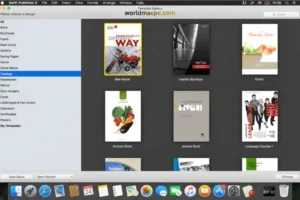
- Hundreds of ready-made templates
- 1000+ built-in images and clipart
- Creative masks and decorative elements
These resources significantly reduce design time and help beginners create polished documents without starting from scratch.
4. Powerful Page Layout Tools
Beyond templates and text editing, the software supports:
- Multi-page documents
- Master pages for consistent design
- Two-page spreads
- Custom grids
- Smart guides for precise alignment
- Layer management
These features bring professional-level structure while maintaining simplicity.
5. Object Customization & Personalization
Swift Publisher gives you full creative control over design elements. You can:
- Tint objects with custom colors
- Adjust opacity
- Rotate and resize elements
- Tile objects across pages
- Group and ungroup items
- Apply masks for creative effects
This flexibility makes it easy to personalize marketing materials or branded stationery.
What Can You Create with Swift Publisher?
Publisher for Mac is suitable for designing:
- Flyers
- Brochures
- Posters
- Newsletters
- Business cards
- Invitations
- Certificates
- Letterheads
Whether for business promotions or school projects, it provides all essential page layout tools required for high-quality output.
Performance & System Requirements
Swift Publisher 5.7.5 runs smoothly on modern macOS systems.
System Requirements:
- Requires macOS 10.12 or later
- Works on both Intel and Apple Silicon Macs
- Lightweight installation size
- Supports multiple languages including English and other major languages
The software is optimized for performance and does not consume excessive system resources, making it stable even on mid-range Mac systems.
How Does It Compare?
Swift positions itself as a simpler alternative to professional publishing platforms like Adobe InDesign. It is designed for users who:
- Do not need enterprise-level publishing complexity
- Prefer a one-time purchase model
- Want fast design results
- Need practical tools without subscription costs
For small businesses and educators, it offers excellent value.
Who Should Use Swift Publisher?
This page layout app for Mac is ideal for:
- Small business owners
- Marketing teams
- Teachers and students
- Event organizers
- Freelancers
- Home office users
If your goal is to create professional print materials without investing time in mastering complex publishing systems, Swift Publisher is a practical choice.
Final Verdict
Swift Publisher 5.7.5 for macOS successfully bridges the gap between simplicity and functionality. It delivers professional page layout features, strong text editing tools, and a rich library of templates — all within an accessible interface.
For users seeking reliable desktop publishing software for macOS without the overhead of advanced enterprise tools, Swift Publisher remains a smart and cost-effective solution.
BeLight Art Text 4.5.8 Multilingual macOS
Homepage: https://worldmacpc.com/
Leave a Reply