

OmniPlan Pro 4.10.2
OmniPlan Pro 4.10.2 is a professional project management application developed by The Omni Group specifically for macOS users. It is designed to help individuals and teams plan, schedule, analyze, and manage complex projects with precision.
Unlike basic task managers, OmniPlan Pro is built around structured project planning methodologies. It provides detailed timeline visualization, resource allocation tools, cost tracking, and advanced scheduling controls. The Multilingual macOS edition allows the interface to adapt to various system languages, making it suitable for international teams and organizations.
This guide explains its features, system requirements, practical benefits, and overall evaluation in a clear and informational format.
Core Purpose of OmniPlan Pro
OmniPlan Pro is primarily used for:
- Managing large or multi-phase projects
- Handling task dependencies and scheduling logic
- Allocating and leveling resources
- Monitoring project costs and effort
- Identifying risks through critical path analysis
It is commonly used in industries such as software development, construction, operations management, consulting, marketing planning, and research projects.
Key Features of OmniPlan Pro 4.10.2
1. Gantt Chart-Based Visual Planning
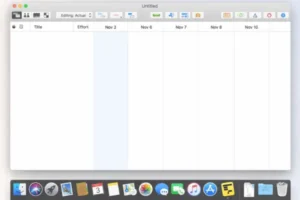
At the center of OmniPlan Pro is its interactive Gantt chart view. Tasks appear as horizontal bars along a timeline, making it easy to visualize:
- Start and finish dates
- Task duration
- Overlapping work
- Project phases and milestones
Users can:
- Drag tasks to reschedule them
- Adjust durations directly from the timeline
- Create dependencies between tasks
- Group tasks into structured hierarchies
This visual approach helps project managers immediately detect scheduling conflicts and bottlenecks.
2. Multiple Project Views
OmniPlan Pro supports different planning perspectives:
• Outline View
A structured, hierarchical task list similar to a spreadsheet. Ideal for users who prefer organized textual editing.
• Network Diagram View
Displays tasks as nodes connected by dependency arrows. This view focuses on logical relationships instead of calendar dates.
• Resource View
Shows resource assignments and workload distribution across tasks.
These multiple views allow users to analyze the same project from different operational angles.
3. Advanced Task Dependencies
OmniPlan Pro supports professional scheduling relationships, including:
- Finish-to-Start (FS)
- Start-to-Start (SS)
- Finish-to-Finish (FF)
- Start-to-Finish (SF)
You can also define constraints such as:
- Must start on a specific date
- Must finish by a deadline
- As Soon As Possible (ASAP)
- As Late As Possible (ALAP)
The software automatically detects scheduling violations and highlights logical conflicts, helping maintain a consistent project structure.
4. Resource Management & Automatic Leveling OmniPlan Pro
Resource allocation is one of the strongest capabilities of the Pro edition.
You can define:
- Team members
- Equipment
- Working hours
- Availability calendars
- Cost rates
If a resource becomes over-allocated, OmniPlan Pro can automatically level the schedule by adjusting task timing to balance workloads.
Additional features include:
- Resource calendars
- Task splitting
- Leveling priority control
This is particularly useful for organizations managing multiple simultaneous projects.
5. Critical Path Analysis
OmniPlan Pro automatically identifies the critical path — the sequence of tasks that directly determines the project’s finish date.
By highlighting critical tasks, project managers can:
- Identify schedule risks
- Focus attention on time-sensitive work
- Understand the impact of delays
- Make informed decisions about acceleration
This feature is essential for complex, deadline-driven environments.
6. Cost and Effort Tracking
For budget control and financial forecasting, OmniPlan Pro supports:
- Resource cost rates
- Fixed task costs
- Effort estimation
- Interval-based cost summaries
- Cumulative cost reporting
This makes it suitable not only for scheduling but also for financial planning and reporting.
7. Collaboration & Sync (Pro Edition)
The Pro edition includes enhanced collaboration capabilities such as:
- Publishing shared project files
- Syncing across multiple devices
- Maintaining version consistency
This is beneficial for distributed teams working in different locations.
8. Multilingual macOS Support
The multilingual edition adapts to the system language settings in macOS. This allows:
- Teams from different regions to work comfortably
- Better adoption in international organizations
- Reduced training friction
All users can access the same project data while viewing the interface in their preferred language.
What’s New in the 4.x Series
The 4.x generation of OmniPlan introduced:
- Improved macOS compatibility
- Native Apple Silicon optimization
- Refined scheduling engine
- Improved resource leveling behavior
- Enhanced sync stability
- Interface improvements and inspector refinements
Version 4.10.2 builds on this stable foundation with ongoing performance and compatibility updates.
System Requirements OmniPlan Pro
Minimum Requirements
- macOS 12.0 (Monterey) or later (depending on build)
- Intel or Apple Silicon Mac
- 4 GB RAM
- A few hundred MB of free storage
Recommended Requirements
- Latest supported macOS version
- Apple Silicon (M1/M2 or newer)
- 8 GB RAM or more
- SSD storage for optimal performance
Larger projects benefit from additional RAM and stronger CPU performance.
Who Should Use OmniPlan Pro?
OmniPlan Pro is ideal for:
- Professional project managers
- Technical leads
- Construction planners
- Consultants
- Agencies managing client timelines
- Organizations with structured scheduling needs
It may be excessive for users looking for simple to-do lists or lightweight task tracking.
Advantages
- Professional-grade scheduling engine
- Detailed resource control
- Clear visual project representation
- Critical path automation
- Cost tracking capabilities
- Reliable macOS integration
Limitations
- Steeper learning curve for beginners
- Designed primarily for structured, formal project management
- More advanced than basic productivity tools
WinRAR for macOS 7.12 RAR for Mac
Overall Evaluation: OmniPlan Pro
OmniPlan Pro 4.10.2 is a mature and specialized project management application for macOS. It is best suited for users who require structured planning, resource optimization, and schedule analysis rather than simple task tracking.
For teams operating within the Apple ecosystem, it offers a powerful, stable, and feature-rich environment for managing complex projects with accuracy and control.
If your workflow involves dependencies, deadlines, cost forecasting, and resource balancing, OmniPlan Pro provides the necessary professional tools in a well-integrated macOS interface.
Homepage: https://worldmacpc.com/
Leave a Reply