

Microsoft Office LTSC Standard
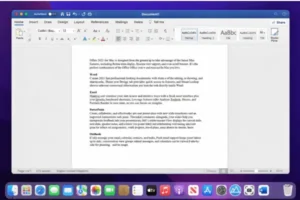
Microsoft Office LTSC Standard for Mac 2024 v16.106 is the latest Long-Term Servicing Channel (LTSC) release, tailored for users who prefer stability, long-term support, and a one-time purchase model instead of subscription-based software. Developed by Microsoft, this version emphasizes reliability and consistent performance rather than frequent feature updates.
Unlike Microsoft 365, Office LTSC provides classic desktop applications under a perpetual license. Users pay once and continue using the software without recurring payments. This makes it particularly suitable for professional environments, educational institutions, and anyone who needs a stable productivity platform over many years.
This guide covers the features, improvements, system requirements, advantages, limitations, and frequently asked questions about Microsoft Office LTSC Standard for Mac 2024 v16.106.
What is Microsoft Office LTSC Standard for Mac 2024?
Office LTSC (Long-Term Servicing Channel) is designed for environments where continuous feature updates are not necessary. Instead of receiving regular feature additions, LTSC versions focus on long-term stability, security updates, and predictable performance.
Office LTSC Standard for Mac 2024 includes the essential productivity applications:
- Microsoft Word
- Microsoft Excel
- Microsoft PowerPoint
- Microsoft Outlook
- Microsoft OneNote
These applications are installed locally and work independently of subscription services. They are ideal for offline workflows and controlled IT environments.
One-Time Purchase and Perpetual License
A key advantage of Office LTSC Standard for Mac 2024 is its one-time purchase model. Users pay once and can continue using the software indefinitely without monthly or yearly fees.
This perpetual license provides:
- Fixed long-term cost
- No subscription management
- Continuous offline usability
- Predictable software environment
However, LTSC editions do not receive new feature updates after release. Only security and stability improvements are provided throughout the support lifecycle.
What’s New in Office LTSC Standard for Mac 2024
Although LTSC releases prioritize stability, several improvements have been introduced in this version:
Faster Excel Performance
Excel now handles large workbooks more efficiently. Calculations are optimized, and file opening times are faster, especially with complex datasets.
Improved Image and Content Handling
Inserting and managing images within documents and spreadsheets is smoother, improving workflows for reporting and presentations.
Enhanced PowerPoint Tools
PowerPoint now supports modern presentation workflows better, with improved media integration and smoother slide performance during live presentations.
Accessibility Enhancements
Accessibility tools have been refined across all Office applications, helping users create content that is easier to read and navigate.
Better Device Integration
Office 2024 offers improved compatibility with modern Mac devices, making media insertion and content sharing seamless.
Key Features of Office LTSC Standard for Mac 2024
- Classic Office Experience – Traditional interface without cloud-focused changes or subscription prompts.
- Stable Long-Term Environment – Minimal feature changes reduce compatibility issues.
- Offline Productivity – Fully functional offline after installation and activation.
- Optimized for Modern Mac Hardware – Works efficiently on both Intel-based and Apple Silicon Macs.
- Security Updates Included – Security updates are delivered throughout the support lifecycle.
System Requirements
Supported macOS Versions
Office LTSC Standard supports the three most recent versions of macOS. Support moves forward as new macOS releases arrive.
Minimum Hardware Requirements
- Intel or Apple Silicon processor
- 4 GB RAM or higher recommended
- Around 10 GB free storage
- 1280 × 800 display resolution
- Internet connection required for activation and updates
Support Lifecycle
Office LTSC Standard for Mac 2024 follows a fixed lifecycle:
- Mainstream support: 5 years
- Support end date: October 9, 2029
During this period, security and stability updates are provided. After this, no further updates are available.
WinRAR for macOS 7.12 RAR for Mac
Office LTSC 2024 vs Microsoft 365
| Feature | Office LTSC 2024 | Microsoft 365 |
|---|---|---|
| Payment Model | One-time purchase | Subscription |
| Feature Updates | No new features | Continuous updates |
| Cloud Integration | Limited | Full |
| Offline Usage | Full | Partial |
| AI Features | Not included | Included |
Summary: LTSC is ideal for users prioritizing stability, while Microsoft 365 suits those seeking ongoing innovation and cloud collaboration.
Pros and Cons
Pros:
- One-time purchase with perpetual license
- No recurring payments
- Stable and predictable performance
- Long-term support until 2029
- Ideal for offline use
Cons:
- No new feature updates after release
- Limited cloud functionality
- No access to latest AI tools
- Designed mainly for volume licensing environments
Who Should Use Office LTSC Standard for Mac 2024?
This version is perfect for:
- Businesses needing stable software
- Educational institutions
- Professional users with fixed workflows
- Organizations avoiding subscriptions
- Users preferring traditional desktop Office
It is not ideal for users requiring frequent updates or advanced cloud collaboration.
Frequently Asked Questions (FAQ)
Is Office LTSC Standard for Mac 2024 a one-time purchase?
Yes. It comes with a perpetual license and does not require a subscription.
Does LTSC receive new features later?
No. Only security and stability updates are provided.
How long is Office LTSC 2024 supported?
Support lasts five years, ending on October 9, 2029.
Is it better than Microsoft 365?
It depends on your needs. LTSC is better for stability and offline productivity; Microsoft 365 excels at collaboration and continuous updates.
Final Verdict: Microsoft Office LTSC Standard
Microsoft Office LTSC Standard for Mac 2024 v16.106 is a reliable, long-term productivity suite. With a perpetual license, strong performance improvements, and support until October 2029, it is ideal for professional and organizational use. For users seeking classic Office functionality without subscription fees, Office LTSC 2024 remains a dependable choice.
Adobe Bridge 16.0.2 for Mac
homepage: https://worldmacpc.com/
Leave a Reply