
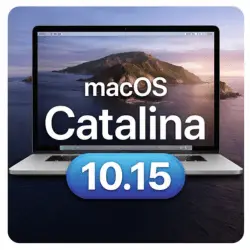
macOS Catalina 10.15
macOS Catalina (version 10.15) was one of Apple’s most important operating system releases for Mac users. It introduced major architectural changes, improved security, and modernized the macOS ecosystem by completely ending support for 32-bit applications. Released in October 2019, macOS Catalina remained widely used for several years, especially on Intel-based Macs.
Even in 2026, many users still search for macOS Catalina because it supports older Mac hardware and legacy professional workflows. However, since Apple has officially ended support for Catalina, it is important to understand its features, limitations, system requirements, and real-world usability today.
This article provides a complete, updated, and SEO-optimized guide to macOS Catalina 10.15, covering features, latest updates, compatibility, pros and cons, and whether it is safe to use in 2026.
Screenshot
Best Free Mac Software in 2026 – Top Tools Every Mac User Needs
Key Features of macOS Catalina 10.15
Full Transition to 64-Bit Applications
One of the most significant changes in macOS Catalina was the complete removal of 32-bit app support. From this version onward, macOS only runs 64-bit applications.
This change improved:
- Performance
- Stability
- Security
- Future compatibility
However, it also meant that many older apps, plugins, and tools stopped working. Creative professionals had to update software such as Adobe apps, audio plugins, and design tools to 64-bit versions.
Sidecar – Use iPad as a Second Display
macOS Catalina introduced Sidecar, allowing users to use an iPad as a secondary display or drawing tablet.
Key benefits:
- Extend or mirror Mac display
- Apple Pencil support for creative work
- Useful for designers and editors
Sidecar improved productivity for users working with graphic design, illustration, and video editing workflows.
iTunes Replaced by Apple Music, TV & Podcasts
Catalina officially removed iTunes and replaced it with three separate apps:
- Apple Music
- Apple TV
- Apple Podcasts
This separation made media management cleaner and more focused, improving performance and usability.
Screen Time for Mac Users
Screen Time, previously available only on iOS, came to macOS with Catalina.
Users can:
- Track app usage
- Set app limits
- Manage parental controls
- Sync Screen Time across Apple devices
This feature helped both individual users and families manage digital habits more effectively.
Enhanced Security & Privacy
macOS Catalina significantly improved system security through:
- Read-only system volume
- Gatekeeper improvements
- App notarization
- Stronger sandboxing
The read-only system volume prevented malware from modifying critical system files, making Catalina more secure than previous macOS versions.
What’s New & Latest Updates (Status in 2026)
Final macOS Catalina Updates
Apple released the final version macOS Catalina 10.15.7, with the last official security updates arriving in 2022.
Since then:
- No security patches
- No bug fixes
- No performance updates
In 2026, macOS Catalina is officially considered end of life (EOL).
macOS Catalina End of Support – What It Means
End of support means:
- Newly discovered vulnerabilities are not fixed
- Increased security risks
- Incompatibility with modern apps and browsers
Because of this, macOS Catalina is not recommended for active internet usage in 2026, especially for:
- Online banking
- Cloud work
- Email and browsing
macOS Catalina System Requirements (Corrected & Updated)
Minimum System Requirements
- Intel-based Mac only
- 4GB RAM
- 12.5GB free storage (upgrade installation only)
- macOS High Sierra or later
These requirements apply when upgrading from an existing macOS installation.
Recommended System Requirements (Clean Install)
For best performance:
- Intel Core i5 or better
- 8GB RAM or more
- 20–25GB free storage for clean install
- SSD storage
A clean installation requires extra disk space to avoid installation errors.
Compatible Mac Models for macOS Catalina 10.15
Apple officially supports the following Macs:
- MacBook (Early 2015 or newer)
- MacBook Air (Mid-2012 or newer)
- MacBook Pro (Mid-2012 or newer)
- Mac mini (Late-2012 or newer)
- iMac (Late-2012 or newer)
- iMac Pro (2017)
- Mac Pro (Late-2013 or newer)
Older models are not officially compatible.
macOS Catalina & Apple Silicon Compatibility
macOS Catalina does NOT support Apple Silicon.
Important points:
- ❌ Not compatible with M1, M2, or M3 Macs
- ✅ Works only on Intel-based Macs
- ❌ Cannot be installed natively on Apple Silicon
Users with newer Macs must use macOS Big Sur or later.
macOS Catalina for Creative Professionals
64-Bit Software Requirement
Catalina only supports 64-bit creative software. This affects:
- Adobe Photoshop, Illustrator, Premiere Pro
- Audio plugins and DAWs
- Older cracked or legacy apps
Users must verify software compatibility before using Catalina, especially in regions like Pakistan where older software versions are common.
Performance on Older Intel Macs
On supported Intel Macs, Catalina performs:
- Better than Mojave in security
- Slightly heavier on older hardware
- Best on SSD-based systems
For creative workloads, at least 8GB RAM is recommended.
Pros and Cons of macOS Catalina in 2026
Pros
- Stable on supported Intel Macs
- Strong security architecture (for its time)
- Sidecar support
- Clean media management apps
- Good legacy hardware support
Cons
- No security updates since 2022
- Not safe for modern internet usage
- No Apple Silicon support
- No 32-bit app support
- Many modern apps no longer compatible
Is macOS Catalina Safe to Use in 2026?
macOS Catalina is not recommended as a daily-use operating system in 2026.
Suitable use cases:
- Offline machines
- Legacy software environments
- Testing or backup systems
Not suitable for:
- Online work
- Financial transactions
- Long-term primary systems
Upgrading to a newer macOS version is strongly advised for security and compatibility.
macOS Catalina SEO-Relevant Search Topics (2026)
Popular search terms include:
- macOS Catalina end of life 2026
- macOS Catalina system requirements
- macOS Catalina compatible Macs
- macOS Catalina Apple Silicon support
- macOS Catalina safe to use in 2026
This article addresses all of these queries naturally.
Final Conclusion
macOS Catalina 10.15 marked a major turning point in macOS history by fully embracing 64-bit applications, improving security, and modernizing media management. While it served users well for several years, its support officially ended in 2022.
In 2026, macOS Catalina should only be used for legacy or offline purposes. Due to the lack of security updates and incompatibility with modern hardware and applications, upgrading to a newer macOS version is the safest option for most users.
Understanding its strengths and limitations helps users make informed decisions, especially those still running older Intel-based Macs.
WinRAR for macOS 7.12 RAR for Mac
Homepage: https://worldmacpc.com/
Leave a Reply