

Blackmagic Fusion Studio
Blackmagic Fusion Studio 20.2.3 is a professional visual effects and compositing application built for film, TV, advertising, and high‑end online content. It uses a powerful node‑based interface that gives artists very fine control over each step of the image pipeline.
Instead of stacking layers, you connect nodes together like a flowchart, which makes complex shots easier to manage and modify. This approach is ideal for studios and freelancers who regularly work on detailed composites, 3D graphics, and motion design.
Introduction to Blackmagic Fusion Studio
Blackmagic Fusion Studio has been part of the professional VFX world for decades, and the Studio edition is the standalone version aimed at serious compositors and motion designers. It can handle everything from simple lower thirds to heavy visual effects work with multiple render passes, 3D scenes, and particles.
In version 20.2.3, Blackmagic Fusion Studio focuses on performance, stability, and deeper integration with modern codecs and GPUs. For artists who need reliability as well as flexibility, this release is designed to keep large projects running smoothly.
Key Features of Blackmagic Fusion Studio
Node‑Based Compositing Workflow
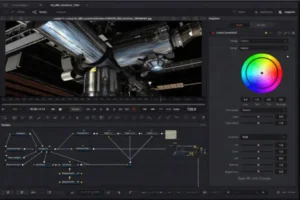
The heart of Blackmagic Fusion Studio is its node graph, where each node represents a single operation such as color correction, transform, blur, keyer, or merge. You can branch, combine, and reorder these operations at any time, without losing earlier work.
Because everything is visible in the node tree, you can quickly understand how a shot is built. If a client asks for a change, you simply jump to the relevant node and adjust it, rather than searching through dozens of stacked layers.
Blackmagic Fusion Studio 20.2.3 For 2D and 3D Tools
Fusion combines traditional 2D compositing with a full 3D workspace. You can import 3D geometry, cameras, and lights, then integrate them with live‑action plates, matte paintings, and graphic elements.
The 3D system supports materials, shadows, reflections, and volumetric effects such as fog and light rays. This allows you to create realistic scenes where 3D objects and 2D footage interact naturally.
Tracking, Keying, and Rotoscoping
For integrating elements into live‑action footage, Blackmagic Fusion Studio offers several tracking options, including point tracking, planar tracking, and full 3D camera tracking. These tools help you attach graphics or VFX elements to moving objects and camera moves.
Keying tools handle green‑screen and blue‑screen shots, with controls for edge detail, spill suppression, and matte refinement. When a clean key is not possible, rotoscoping tools let you draw and animate masks over time to isolate objects with precision.
Particles and Motion Graphics
Fusion’s particle system can create effects like smoke, sparks, rain, snow, and abstract motion trails. Particles can respond to forces such as gravity, wind, and turbulence, and they can interact with 3D geometry inside the scene.
For motion graphics, there are advanced text tools, shape generators, and animation controls. You can build animated titles, HUD graphics, and logo animations directly in the node graph, combining them with glows, motion blur, and other stylistic effects.
GPU Acceleration and Scripting
Many operations inside Blackmagic Fusion Studio are GPU‑accelerated, which improves interaction and render speed on modern graphics cards. This is particularly helpful when working at 4K and above, or when applying multiple image processing nodes in a single shot.
For studios and technical users, scripting support with Lua and Python allows automation of repetitive tasks. You can generate node setups, manage renders, or integrate the software into larger pipelines with custom tools and menus.
VidHub 2.1.8 macOS
What’s New in Blackmagic Fusion Studio 20.2.3
Performance Improvements
Version 20.2.3 introduces optimizations aimed at faster processing and more stable playback. Users working with high‑resolution footage or many simultaneous effects should notice smoother interaction in the viewer and shorter render times.
On supported systems, there are specific performance gains for tasks that rely heavily on the GPU and on modern debayering routines. This helps keep Blackmagic Fusion Studio responsive, even on complex, multi‑layered shots.
Better Media Handling and Stability
The update refines how the application deals with modern camera formats and large image sequences. Handling of depth‑rich images and multi‑layer files has been improved, which is very useful when you bring in render passes from 3D applications.
Alongside media improvements, there are numerous bug fixes and stability tweaks. These reduce the risk of crashes, file save issues, and preview glitches during long sessions and heavy rendering.
System Requirements Blackmagic Fusion Studio
Fusion is powerful software, so it benefits from a capable machine, especially for 4K work, heavy 3D, or particle‑based simulations. Below are realistic minimum and recommended guidelines.
Minimum Requirements
- Operating system:
- Recent 64‑bit macOS, Windows 10 64‑bit or later, or a modern 64‑bit Linux distribution
- Processor:
- Multi‑core CPU suitable for media applications
- Memory:
- At least 8 GB of RAM (16 GB is much more comfortable for regular work)
- Graphics card:
- GPU with at least 2 GB of video memory and support for current graphics APIs on your platform
- Storage:
- Several gigabytes of free space for installation, plus extra space for caches, proxy files, and renders
With this level of hardware, you can work on HD projects and moderate node trees, though very complex scenes may feel slower.
Recommended Requirements
For smoother work with demanding projects, the following specifications are recommended:
- Memory:
- 32 GB RAM or more, especially for 4K and multi‑pass compositing
- Graphics card:
- Modern discrete GPU with 8 GB or more of video memory
- Processor:
- Fast multi‑core CPU with strong single‑thread performance
- Storage:
- SSD or NVMe drive for both system and project media to keep loading and playback responsive
- Display:
- High‑quality monitor with good color accuracy for final look decisions
A system in this range lets you preview complex shots more interactively, work with larger resolutions, and render sequences faster.
Pros and Cons
Pros
- Professional‑grade compositing
The software provides a deep set of tools for keying, tracking, rotoscoping, 3D, and particles, suitable for film and broadcast work. - Flexible node‑based workflow
The node system in Blackmagic Fusion Studio makes it easier to manage complex shots, branch different versions, and reuse parts of your setups across projects. - Strong 3D and particles
Integrated 3D tools and a capable particle system allow you to create realistic or stylized effects without leaving the application. - GPU acceleration
Hardware‑accelerated processing improves interactivity and render times on modern graphics cards, particularly at higher resolutions. - Pipeline‑friendly design
Scripting support and support for common professional formats make it easier to integrate the software into larger studio pipelines.
Cons
- Learning curve
Artists who are used to layer‑based timelines may need time to become comfortable with node graphs and more technical workflows. - Hardware demands
Large composites with 3D, deep images, or heavy particles can require a lot of RAM and GPU power, which may be challenging on older systems. - Fewer one‑click templates
Compared to some motion graphics tools, there are fewer built‑in presets aimed at beginners who want instant results. - Overkill for simple needs
For basic titling or light compositing, the depth of the toolset may be more than necessary, and simpler integrated tools can be enough.
Conclusion: Blackmagic Fusion Studio
Blackmagic Fusion Studio 20.2.3 is a serious compositing solution for creators who want precise control over every step of their visual effects and motion graphics. Its node‑based design, 3D capabilities, particles, and scripting options make it suitable for demanding professional environments.
If you have a reasonably powerful machine and you are ready to learn a node‑based workflow, Blackmagic Fusion Studio offers a stable and efficient platform for both small and large projects. Used correctly, it can become the main hub for your VFX and compositing work without relying on multiple separate tools.
SketchUp Pro for Mac 2026
Screenshots
Homepage: https://worldmacpc.com/
Leave a Reply