
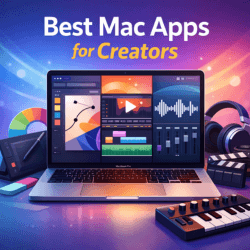
Best Mac Apps for Creators
Best Mac Apps for Creators play a critical role for designers, video editors, musicians, and digital professionals who rely on macOS for demanding creative work. Whether you are designing graphics, editing high-resolution video, producing music, or managing content projects, choosing the right Mac software can dramatically improve productivity and output quality.
This in-depth guide covers the best Mac apps for creators in 2026, carefully selected for design, video editing, audio production, and creative workflows. All tools listed are widely used in the USA, UK, and other international markets and are optimized for modern macOS and Apple Silicon Macs (M1, M2, and M3).
Why Mac-Native Apps Matter for Creators
Mac-native creative software is built to take full advantage of Apple technologies such as Apple Silicon, Metal graphics acceleration, and Core Audio. In real-world workflows, this results in faster rendering, smoother playback, lower latency, and better overall stability.
For creators working with 4K/8K video, high-resolution images, or multi-track audio projects, macOS-optimized apps reduce crashes and keep performance consistent, even during long sessions.
Best Mac Apps for Creators How This Guide Is Structured
Each app in this list includes:
- A clear overview
- Key strengths
- Best use cases
- Pricing model
- A practical alternative
Apps are grouped by design, video, audio, and utility categories, helping you build a complete creative stack based on your needs. This guide assumes you are using macOS Sonoma or later on an Apple Silicon Mac.
Mac Software Without Subscription
Best Mac Apps for Creators – Design & Image Tools
Adobe Photoshop (Mac) – Raster Editing & Compositing
Adobe Photoshop remains the industry standard for photo editing, digital art, and advanced compositing. The Mac version runs exceptionally well on Apple Silicon, especially with large files and GPU-intensive filters.
Best for: photo editing, marketing creatives, digital art
Strengths: layers, masks, plugins, PSD compatibility
Pricing: subscription
Alternative: Affinity Photo (one-time purchase)
Adobe Illustrator – Vector Design & Branding
Illustrator is essential for logos, icons, typography, and scalable vector graphics. It is widely used by professional designers in branding, print, and digital media.
Best for: logos, vector illustrations, print design
Strengths: precision tools, artboards, export presets
Pricing: subscription
Alternative: Affinity Designer
Figma – UI/UX & Collaborative Design
Figma is a cloud-based design platform built for collaboration. Many global teams prefer Figma because designers and developers can work together in real time.
Best for: UI/UX design, prototypes, design systems
Strengths: components, auto-layout, collaboration
Pricing: freemium
Alternative: Sketch (Mac-only)
Affinity Suite – Professional Tools Without Subscriptions
The Affinity Suite includes Photo, Designer, and Publisher with a one-time license. These apps are fast, reliable, and optimized for macOS.
Best for: freelancers, small studios
Strengths: no subscriptions, excellent performance
Pricing: one-time purchase
Best Mac Apps for Creators Pixelmator Pro – Lightweight Mac Image Editor
Pixelmator Pro offers a clean interface with powerful machine-learning tools. It is ideal for quick edits and web graphics.
Best for: fast image editing, web visuals
Strengths: simplicity, speed, macOS integration
Pricing: one-time purchase
Best Mac Apps for Creators – Video Editing & Motion Graphics
Final Cut Pro – Native Mac Video Editing
Final Cut Pro is Apple’s professional video editor, optimized for Apple Silicon. It delivers smooth playback and fast rendering, even with complex timelines.
Best for: YouTube videos, client projects, fast edits
Strengths: magnetic timeline, ProRes performance
Pricing: one-time purchase
Alternative: Adobe Premiere Pro
Adobe Premiere Pro – Cross-Platform Editing
Premiere Pro is ideal for teams working across macOS and Windows. It integrates seamlessly with After Effects and other Adobe tools.
Best for: agency work, collaborative projects
Strengths: codec support, ecosystem integration
Pricing: subscription
DaVinci Resolve – Editing, Color & Audio in One App
DaVinci Resolve combines editing, industry-leading color grading, Fusion effects, and Fairlight audio tools.
Best for: color grading, all-in-one post production
Strengths: powerful free version, advanced color tools
Pricing: free / Studio version
Blender – 3D, Motion & VFX
Blender is a free, open-source 3D suite used worldwide for modeling, animation, and rendering.
Best for: 3D animation, motion graphics, VFX
Strengths: complete toolset, strong community
Pricing: free
After Effects – Motion Graphics & Visual Effects
After Effects is the industry standard for motion design and compositing.
Best for: titles, animations, VFX
Strengths: plugins, expressions, Adobe integration
Pricing: subscription
Best Mac Apps for Creators – Audio & Music Production
Logic Pro – Professional Audio Production
Logic Pro is Apple’s flagship DAW, offering excellent performance on macOS with low latency and a massive sound library.
Best for: music production, podcast editing
Strengths: built-in instruments, stability
Pricing: one-time purchase
Alternatives: Ableton Live, Pro Tools
Ableton Live – Performance-Focused DAW
Ableton Live is known for its clip-based workflow and live performance features.
Best for: electronic music, live sets
Strengths: Session View, fast MIDI workflow
Pricing: tiered plans
Best Mac Apps for Creators Avid Pro Tools – Studio & Post-Production Standard
Pro Tools is widely used in professional studios and film post-production.
Best for: mixing, film audio
Strengths: routing, hardware integration
Pricing: subscription or perpetual
iZotope RX – Audio Repair & Restoration
iZotope RX is essential for cleaning noisy or damaged audio.
Best for: podcast cleanup, audio restoration
Strengths: spectral repair, batch processing
Pricing: tiered versions
Best Mac Apps for Creators – Recording, Streaming & Utilities
- OBS Studio: free recording and live streaming
- ScreenFlow: screen capture with built-in editing
- HandBrake: video compression and transcoding
These tools support creators producing tutorials, courses, and live content.
System Utilities for Creative Macs
Creative workloads push hardware limits. Tools like iStat Menus, DaisyDisk, and CleanMyMac X help monitor performance, manage storage, and keep macOS responsive.
Notes, Planning & Asset Management
- Notion: project tracking and documentation
- Obsidian: local-first knowledge base
- Bear: lightweight Markdown notes
These apps help creators stay organized and productive.
How to Choose the Right Creative Stack
Budget creators can combine Affinity Suite + DaVinci Resolve (free) + Audacity.
Video-focused professionals may prefer Final Cut Pro + DaVinci Resolve.
Music producers often combine Logic Pro + Ableton Live for flexibility.
Workflow Tips for Better Performance
Use proxy files for large video projects, save export presets, organize assets clearly, and always maintain backups using Time Machine and cloud storage.
SEO Tips for Creative Professionals
Optimize image filenames and alt text, publish behind-the-scenes content, embed short videos, and focus on page speed. These steps improve discoverability and engagement, especially in USA and UK search results.
Final Recommendations
The best Mac apps for creators depend on your workflow, budget, and goals. Selecting one strong tool per discipline and building around it ensures performance, efficiency, and long-term stability on macOS.
Homepage: https://worldmacpc.com/
Leave a Reply