

Dropshare 6.10.0
Dropshare 6.10.0 macOS is a professional-grade file sharing and screenshot uploading utility designed for users who want speed, automation, and full control over their storage infrastructure. Unlike traditional cloud sharing tools that store your data on proprietary servers, Dropshare connects directly to your chosen cloud provider or server. This architecture ensures privacy, flexibility, and ownership.
Built specifically for macOS and developed as a solo project by Timo Josten in Germany, Dropshare has evolved into one of the most powerful upload automation tools available today. Version 6.10.0 introduces important new features such as MEGA Object Storage support, MCP Server preparations, additional landing page designs, and enhanced screenshot handling.
This in-depth guide provides a fully verified, accurate, and SEO-optimized breakdown of Dropshare 6.10.0. All technical details, system requirements, and feature descriptions align with official product documentation and changelog information.
If you are searching for a secure macOS upload tool with advanced automation, customizable branding, and wide cloud compatibility, this comprehensive article covers everything you need to know.
What Is Dropshare?
Dropshare is a macOS menu bar application that enables instant file uploads, automated screenshot sharing, and direct integration with more than 36 cloud storage providers and server environments.
Instead of hosting files itself, Dropshare transfers files directly to your configured destination. This design offers:
- Full data ownership
- No intermediary storage
- Secure encrypted transfers
- Custom domain branding
- Advanced automation capabilities
Because of its flexibility, Dropshare is widely used by developers, designers, IT professionals, remote teams, marketers, and general macOS users.
Key Features of Dropshare 6.10.0 macOS
1. Instant Drag-and-Drop Uploads
Dropshare operates from the macOS menu bar. Users can simply drag files onto the icon, and the upload begins immediately.
After upload, Dropshare can automatically:
- Generate a shareable URL
- Copy the link to clipboard
- Open the link in a browser
- Trigger custom scripts
This streamlined workflow significantly reduces manual steps and improves productivity.
2. Advanced Screenshot & Screen Recording Integration
One of the most popular capabilities of Dropshare is its screenshot automation.
Features include:
- Automatic upload after capture
- Option to copy screenshot to clipboard before upload
- Floating capture tools
- Screen recording upload
- Multi-screen handling
Version 6.10.0 includes multiple fixes for screen recording crashes, multi-screen recording issues, and floating capture bugs, improving reliability across setups.
This makes Dropshare ideal for:
- QA testing
- Client feedback
- Technical documentation
- Remote support
3. AI-Generated Filenames (GPT-Powered)
Starting from version 6.8 and available in 6.10.0, Dropshare includes AI-powered filename suggestions for screenshots.
Key highlights:
- Uses OpenAI’s GPT-5 nano model
- Automatically suggests meaningful filenames
- Limited daily free usage
- Option to connect your own API key
Instead of generic names like “Screenshot 2026-02-21,” users receive descriptive, contextual filenames that improve organization and SEO structure for hosted content.
This feature is especially valuable for content creators and documentation teams.
4. Support for 36+ Cloud Providers Dropshare 6.10.0
Dropshare supports over 36 storage destinations. This extensive compatibility is one of its biggest advantages.
Supported platforms include:
- Amazon Web Services (S3)
- Google Drive
- Dropbox
- Microsoft OneDrive
- Backblaze (B2)
- Cloudflare (R2)
- DigitalOcean (Spaces)
- MEGA
- pCloud
- Box
- Fastmail
- Zoho (WorkDrive)
- Flickr
- Imgur
- WebDAV
- Custom S3 API
- Custom API endpoints
- SFTP / SCP / FTP servers
- MinIO
- Nextcloud
- iCloud Drive
- And many more
This broad compatibility makes Dropshare adaptable to enterprise infrastructure as well as personal cloud setups.
5. MEGA Object Storage Support (New in 6.10.0)
One of the major additions in version 6.10.0 is support for MEGA Object Storage.
This expands integration capabilities and allows users to upload directly to MEGA’s object storage infrastructure, providing additional flexibility for users who rely on MEGA’s ecosystem.
6. MCP Server Support (Model Context Protocol)
Version 6.10.0 introduces preparations for MCP Server support.
MCP (Model Context Protocol) is designed to enable structured interaction between tools and AI systems. With MCP support, Dropshare positions itself for advanced AI-assisted workflows and integrations.
This feature demonstrates forward-looking architecture and ensures compatibility with emerging AI toolchains.
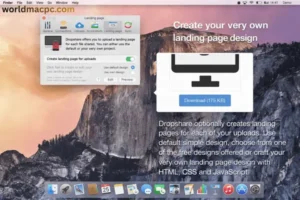
7. Custom Landing Pages (5 New Designs)
Dropshare provides customizable landing pages for shared files. These pages allow users to:
- Add branding
- Display file previews
- Customize layout
Version 6.10.0 introduces five new landing page designs, improving visual presentation and user experience.
For businesses and agencies, this is particularly valuable for maintaining brand consistency.
8. Custom Domains & URL Shortening
Users can configure:
- Custom subdomains
- Branded URLs
- Shortened links
Instead of generic cloud URLs, files can be shared using professional, branded links.
This feature improves trust, brand visibility, and presentation.
9. Advanced Automation & Scripting
Dropshare supports:
- Custom filename patterns
- Automatic deletion rules
- Post-upload scripts
- Clipboard automation
- Image optimization
These automation capabilities make Dropshare powerful enough for advanced technical workflows.
What’s New in Dropshare 6.10.0
Based on official changelog data (21 February 2026), version 6.10.0 includes:
New Features
- MEGA Object Storage support
- MCP Server support preparations
- Option to copy screenshots to clipboard before upload
- Five new landing page designs
Fixes & Improvements
- Dropbox large file upload bug fix
- Azure Blob Storage crash fix
- Screen recording crash fix (minimized window)
- Multiple screens recording bug fix
- Floating capture wrong screen issue fix
These updates significantly improve stability and compatibility.
System Requirements for Dropshare 6.10.0 macOS
Minimum Requirements
- macOS 12.3 or later
- Intel or Apple Silicon processor
- 4 GB RAM
- Internet connection
macOS 11 is not supported.
Recommended Requirements Dropshare 6.10.0 macOS
- Latest macOS version
- Apple Silicon (M1, M2, or newer)
- 8 GB RAM or more
- SSD storage
- High-speed broadband connection
Meeting recommended specifications ensures optimal performance.
Pricing & Licensing
Dropshare offers flexible licensing options:
Personal License
- $39 one-time purchase
- Valid for up to 3 Macs
- Free updates within version 6.x
Setapp Availability
Dropshare is also available through Setapp, included in its subscription library of apps.
Free Trial
- 7-day free trial
- No payment details required
This transparent pricing model makes Dropshare accessible to both individuals and teams.
Pros and Cons of Dropshare 6.10.0
Pros
- Full control over storage
- Supports 36+ providers
- AI-powered filename generation
- MEGA Object Storage integration
- MCP Server readiness
- Custom branding & landing pages
- Strong encryption support
- One-time purchase option
Cons
- Requires external storage configuration
- Advanced features may require technical knowledge
- Not a standalone storage service
Who Should Use Dropshare?
Developers
SFTP, scripting, and automation features make Dropshare ideal for build sharing and documentation.
Designers
Screenshot automation and branded landing pages streamline client collaboration.
Content Creators
AI-generated filenames improve organization and SEO consistency.
Remote Teams
Instant upload and link sharing enhance workflow efficiency.
Security and Privacy
Dropshare uses secure transfer protocols including HTTPS, SFTP, and SCP. Since files are uploaded directly to your configured provider, there is no intermediary hosting layer.
This architecture improves privacy and compliance, particularly for businesses handling sensitive data.
MacCleanse 14 For macOS
Conclusion: Dropshare 6.10.0 macOS
Dropshare 6.10.0 macOS is a mature, feature-rich upload automation tool that combines flexibility, security, and modern AI enhancements. With verified support for macOS 12.3+, MEGA Object Storage integration, MCP Server preparations, AI-generated filenames using GPT-5 nano, and more than 36 cloud provider integrations, Dropshare stands out in the macOS productivity ecosystem.
The one-time $39 license, 7-day free trial, and availability on Setapp further strengthen its value proposition.
For users who prioritize control, branding, and advanced automation within macOS, Drop share 6.10.0 is a highly capable and future-ready solution. Additionally, it offers seamless drag-and-drop uploads, customizable sharing workflows, and secure link generation features that improve daily productivity. Its background uploading system ensures minimal interruption during work, while encryption support enhances data privacy for sensitive files. The tool also integrates smoothly with Finder and system services, making file sharing faster and more intuitive. Overall, Dropshare provides a powerful balance of automation, security, and usability for both professional and everyday macOS users.
Homepage: https://worldmacpc.com/
Leave a Reply