
Apple Creator Studio macOS (2026)
Apple Creator Studio macOS represents a major shift in how creative tools are delivered within the Apple ecosystem. Rather than being a single all-in-one editing application, Apple Creator Studio is a subscription-based bundle of professional creative apps designed to work together seamlessly across Mac, iPad, and iPhone. Introduced by Apple, the bundle targets content creators, video editors, musicians, designers, and digital professionals who require professional-grade tools without relying on multiple disconnected software ecosystems.
The core idea behind Apple Creator Studio is workflow integration instead of application consolidation. Each app in the bundle retains its specialized purpose—video editing, audio production, motion graphics, image editing, or live performance—while benefiting from deep system-level optimization and ecosystem connectivity. As a result, creators can move projects between apps efficiently without sacrificing performance or creative flexibility.
Apple Creator Studio macOS
For macOS users, Apple Creator Studio offers a particularly strong value proposition. Apple Silicon optimization, shared libraries, and cross-app compatibility enable faster rendering, smoother playback, and more consistent workflows. Instead of replacing existing professional tools, the bundle brings together Apple’s established creative applications into a unified subscription model that simplifies access and improves collaboration.
This article explains Apple Creator Studio macOS in detail, including its key features, latest updates, system requirements, advantages, limitations, and overall relevance for creators in 2026.
Understanding Apple Creator Studio macOS
Before exploring features, it is important to clarify the concept accurately. Apple Creator Studio macOS is not a standalone editing environment. It is a curated collection of professional creative applications that function independently but integrate smoothly at the workflow level.
The bundle typically includes:
- Final Cut Pro for professional video editing
- Logic Pro for music production and audio engineering
- Pixelmator Pro for image editing and design
- Motion for motion graphics and visual effects
- Compressor for encoding and export workflows
- MainStage for live performance and audio setups
- Enhanced creative features integrated into productivity apps such as Keynote, Pages, and Numbers
Each application maintains its own interface and editing environment. However, shared technologies such as media libraries, file compatibility, and iCloud synchronization allow creators to move assets between apps without unnecessary conversions or interruptions.
Therefore, Apple Creator Studio macOS should be understood as a creative ecosystem bundle, not a single production tool.
Key Features of Apple Creator Studio macOS
Integrated Creative Workflow Across Apps
The primary strength of Apple Creator Studio macOS lies in how its applications work together. A typical workflow may begin with video editing in Final Cut Pro, followed by motion graphics in Motion, audio refinement in Logic Pro, and final export through Compressor.
Because these applications are developed within the same ecosystem, timelines, media formats, and project assets transfer efficiently between tools. This reduces compatibility issues and eliminates the need for complex third-party workflows.
As a result, creators can maintain continuity throughout production while still using specialized tools for each creative stage.
Performance Optimization for Apple Silicon
Performance remains one of the strongest advantages of Apple Creator Studio macOS. The included apps are optimized for Apple Silicon processors, enabling faster rendering, real-time playback, and improved energy efficiency.
Tasks such as multi-stream video editing, high-resolution color grading, and complex audio processing benefit from hardware acceleration. Consequently, creators experience reduced lag and more stable editing sessions even when working with demanding projects.
This optimization is particularly noticeable on modern Mac systems where CPU, GPU, and memory architecture are tightly integrated.
Professional-Grade Video Production Tools
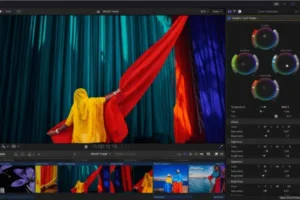
Final Cut Pro continues to serve as the video production backbone within Apple Creator Studio. It provides advanced editing capabilities including:
- Magnetic timeline editing
- Multi-camera support
- High-resolution video workflows
- Advanced color correction tools
- Efficient background rendering
The application is widely used for professional filmmaking, online content production, and commercial editing due to its speed and stability on macOS.
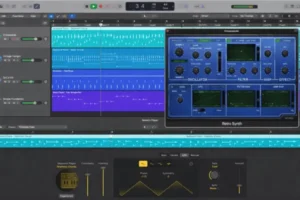
Advanced Audio Production with Logic Pro
Logic Pro complements video workflows by offering a comprehensive digital audio workstation environment. Music producers, sound designers, and film editors benefit from:
- Multi-track recording and mixing
- Large sound libraries and instruments
- MIDI editing tools
- Spatial audio support
- Professional mastering features
Because audio projects integrate smoothly with video workflows, creators can maintain consistent sound quality across production stages.
Image Editing and Design with Pixelmator Pro
Pixelmator Pro adds advanced image editing and design capabilities to the bundle. Layer-based editing, color adjustments, retouching tools, and AI-powered enhancements allow designers and photographers to handle visual assets efficiently.
The application fits naturally into video and marketing workflows where graphics, thumbnails, and promotional materials are required alongside video or audio production.
Ecosystem Integration and Cloud Collaboration
Apple Creator Studio macOS benefits significantly from ecosystem integration. Shared libraries, iCloud synchronization, and project continuity allow creators to start projects on one device and continue on another.
Collaboration is also simplified through shared folders and project libraries. Teams can exchange media assets and revisions without relying heavily on external file management systems.
What’s New in Apple Creator Studio (Latest Updates)
The latest evolution of Apple Creator Studio focuses primarily on artificial intelligence features, cross-platform availability, and workflow efficiency rather than introducing a new editing engine or unified interface.
AI-Powered Editing Enhancements
Recent updates introduce AI-driven tools across several applications in the bundle. In video workflows, intelligent transcript search allows editors to locate dialogue directly from spoken content. Visual search capabilities help identify clips based on objects or scenes, significantly reducing manual browsing time.
Beat detection features also assist editors in synchronizing video cuts with music automatically, improving editing efficiency for music videos and social media content.
Pixelmator Pro Expansion and Creative Tools Apple Creator Studio macOS
Pixelmator Pro has received notable improvements, including advanced transformation tools such as Warp adjustments. These enhancements provide greater control over image manipulation and design workflows, especially for creators producing visual assets for video or marketing projects.
Expanded availability across devices also strengthens cross-platform workflows for designers.
Premium AI Content Features in Productivity Apps
Creative AI features have also expanded into Apple’s productivity applications. Keynote, Pages, and Numbers now include enhanced content generation and design assistance tools aimed at creators producing presentations, documents, and visual materials as part of their workflow.
This integration extends the concept of Apple Creator Studio beyond traditional media editing into broader content creation.
Improved Cross-Device Workflow
The latest updates continue to strengthen continuity between macOS, iPadOS, and iOS. Projects can move more fluidly between devices, allowing creators to capture, edit, and finalize content without being restricted to a single workstation.
System Requirements Apple Creator Studio macOS
Apple has not released a single consolidated system requirement list specifically for Apple Creator Studio because it consists of multiple applications. However, realistic requirements can be estimated based on supported operating systems and professional creative workloads.
Minimum Requirements
- macOS Sequoia 15.6 or later
- Intel-based Mac or Apple Silicon processor
- 8 GB RAM
- SSD storage recommended
- Graphics hardware supporting modern video acceleration
- Internet connection for subscription activation and cloud features
These specifications are sufficient for basic editing and smaller projects but may limit performance in high-resolution workflows.
Recommended Requirements
- Latest macOS version available
- Apple Silicon (M-series) processor
- 16 GB RAM or higher
- High-speed SSD storage with sufficient free space
- Dedicated media storage for large projects
- High-resolution display (1920 × 1080 or higher)
Recommended configurations ensure smoother playback, faster rendering, and improved multitasking across multiple creative applications.
Pros and Cons
Pros
- Access to multiple professional creative apps within one subscription
- Strong performance optimization on Apple hardware
- Seamless workflow between video, audio, and design tools
- Cross-device compatibility across Mac, iPad, and iPhone
- Suitable for both beginners and professional creators
- Competitive pricing compared to many alternative creative suites
- Consistent user experience across apps
Cons
- Not a single unified editing interface
- Requires learning multiple applications instead of one tool
- Best performance achieved on newer Apple Silicon hardware
- Some creators may still require third-party plugins or tools
Download Free: Wondershare PDFelement Pro 12.1.8
Screenshots
Conclusion: Apple Creator Studio
Apple Creator Studio macOS introduces a practical and ecosystem-driven approach to creative production. Instead of attempting to merge every creative function into one application, Apple has focused on combining its established professional tools into a cohesive subscription bundle that emphasizes workflow continuity and performance.
For macOS users, the advantages are clear. Each application remains specialized and powerful, while shared technologies reduce friction between creative stages. Video editors, musicians, designers, and content creators benefit from optimized performance, reliable integration, and cross-device flexibility.
Although it differs from traditional all-in-one creative platforms, Apple Creator Studio succeeds by strengthening collaboration between professional apps rather than replacing them. For creators already working within the Apple ecosystem, it represents a streamlined and cost-effective solution that supports modern creative workflows in 2026 and beyond.
Download Free: Adobe Bridge 16.0.2 for Mac
Screenshots
Homepage: https://worldmacpc.com/
Leave a Reply