
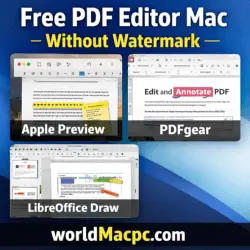
Best Free PDF Editor For Mac Without Watermark
Finding a free PDF editor Mac without watermark can be challenging. Many editors either add watermarks or limit essential features. This guide highlights the top free PDF editors for Mac in 2026 that allow you to edit, annotate, merge, split, and convert PDFs without watermarks. Whether you need a built-in solution or a third-party editor, this article will help you choose the best option for your workflow.
According to TechRadar, Apple Preview remains one of the most reliable free PDF editors for Mac. Additionally, tools like PDFgear, LibreOffice Draw, and Sejda provide powerful features without adding watermarks.
Best Free Mac Software in 2026
Top Free PDF Editors for Mac Without Watermark
| Editor | Watermark | Key Features | Pros | Cons | System Requirements |
|---|---|---|---|---|---|
| Apple Preview | No | Annotate, merge, split, sign | Built-in, no watermark, fast | Cannot edit existing text | macOS 10.14+; 2GB RAM; 500MB storage |
| PDFgear | No | Annotate, edit text, merge, split, convert | M1+ optimized, intuitive interface | Limited advanced features | macOS 12+; 4GB RAM; 300MB storage |
| LibreOffice Draw | No | Edit text, add images, convert PDF | Open-source, powerful text editing | Interface less user-friendly | macOS 10.15+; 4GB RAM; 500MB storage |
| Sejda PDF | No | Annotate, edit text, merge, split, convert | Browser + desktop version, easy to use | 50MB file limit on free version | macOS 10.14+; 4GB RAM; 500MB storage |
| Skim / SkimPDF | No | Annotate, highlight, notes | Open-source, lightweight | Limited text editing | macOS 10.14+; 2GB RAM; 200MB storage |
All the above editors are free PDF editors for Mac without watermark, making them ideal for students, professionals, and businesses alike.
WinZip for Mac 12.0
Key Features of Best Free PDF Editor Mac Without Watermark
1. Text Editing
PDFgear and LibreOffice Draw allow full text editing in PDFs, while Preview and Skim focus on annotations and merging.
2. Annotation & Markup
Tools like Apple Preview, Skim, and Sejda provide powerful annotation tools for free PDF editing on Mac without watermark.
3. Merge & Split PDFs
Preview and PDFgear offer simple merge and split functionality, suitable for both personal and professional use.
4. PDF Conversion
PDFgear and Sejda allow you to convert PDFs to Word, Excel, or images without leaving a watermark.
5. Security Features
All listed editors provide options for password protection and signing PDFs, ensuring document safety.
System Requirements for Top Free PDF Editors Mac Without Watermark
| Editor | macOS Version | RAM | Storage |
|---|---|---|---|
| Preview | 10.14+ | 2GB | 500MB |
| PDFgear | 12+ | 4GB | 300MB |
| LibreOffice Draw | 10.15+ | 4GB | 500MB |
| Sejda PDF | 10.14+ | 4GB | 500MB |
| Skim / SkimPDF | 10.14+ | 2GB | 200MB |
Meeting these requirements ensures a smooth experience while using any free PDF editor Mac without watermark.
Navicat Premium for Mac
Pros and Cons
Pros
- Completely free PDF editors for Mac without watermark
- Supports annotations, merge/split, and conversions
- Open-source options for budget-conscious users
- Built-in tools like Preview for quick edits
Cons
- Free versions may lack advanced features (OCR, batch processing)
- Some editors have file size limits (Sejda: 50MB)
- Learning curve for open-source tools (LibreOffice Draw)
A Better Finder Attributes macOS
Conclusion: Best Free PDF Editor for Mac
Finding a reliable free PDF editor Mac without watermark is easier in 2026 thanks to tools like Apple Preview, PDFgear, LibreOffice Draw, Sejda, and Skim.
- For quick annotations and merging, Apple Preview or Skim is ideal.
- For text editing and conversions, PDFgear and LibreOffice Draw are top choices.
- Sejda provides a cross-platform, easy-to-use option for both offline and online workflows.
By using these editors, you can manage PDFs efficiently on your Mac without worrying about watermarks, costs, or software limitations.
Homepage: https://worldmacpc.com/
Leave a Reply