

Cap Pro 0.4.84 Download Free for Mac
Cap Pro 0.4.84 for Mac is an open‑source screen recorder that lets you capture, edit, and share videos from your Mac without relying on heavy, fully hosted tools. It aims to provide a Loom‑style experience that you can run locally or connect to your own storage.
Cap Pro on macOS
Cap combines quick, shareable recordings with a full Studio editor inside one app. This makes it useful for product demos, training clips, async team updates, and bug reports where you want both speed and polished output.
You can record:
- Your entire screen
- A single window
- Camera‑only video
An optional webcam overlay can be added on top of any screen capture, so viewers can see both you and what you are presenting. The desktop app is built with Tauri and Rust, giving native performance on both Apple Silicon and Intel‑based Macs.
Two Recording Modes
Cap Pro 0.4.84 for Mac offers two main recording modes, depending on whether you want instant sharing or deeper editing.
Instant Mode
- Records and uploads in the background.
- Generates a shareable link as soon as you stop recording.
- Ideal for quick async updates, stand‑ins for chat messages, and fast bug reports.
Studio Mode
- Saves the recording directly to your Mac.
- Opens a built‑in editor for trimming, layout adjustments, and export to common video formats.
- Better suited for tutorials, walkthroughs, and videos that need a more polished finish.
Both modes keep the workflow simple while giving you flexibility over how you record and share.
What Cap Pro 0.4.84 for Mac Adds
Cap is free for personal use when you are only recording locally with the Studio editor. For commercial work, a paid license is required.
Cap Pro is available as a monthly or yearly subscription and includes everything in the Desktop License, plus advanced sharing and collaboration tools:
- Unlimited cloud storage and bandwidth for shared links
- Automatically generated titles, summaries, chapters, and transcriptions
- Custom domains for branded share links
- Password‑protected links for private recordings
- Team workspaces for organizing videos across a group
- Optional custom S3 bucket storage so you can keep recordings on your own infrastructure
The Desktop License by itself covers commercial local recording and includes a small monthly allowance of cloud links, which works well for users who only need occasional online sharing.
Download Free: Typinator 10.1 for Mac
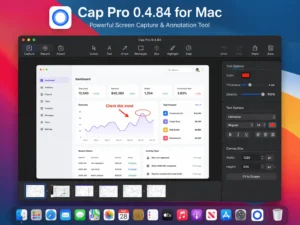
What’s New in Version Cap Pro 0.4.84 for Mac
Cap Pro 0.4.84 for Mac, released in April 2026, focuses on more reliable recording and faster sharing.
Key improvements include:
- An Ultra quality option for Studio recordings, delivering sharper, higher‑bitrate video
- Segmented HLS uploads in Instant Mode, which speed up uploads and make long recordings more resilient
- Automatic restart of the macOS screen‑capture service to reduce failed recordings
- A smoother, more stable camera preview when recording your face‑cam
Cap Pro 0.4.84 requires macOS 13 (Ventura) or later, with 13.1 or newer recommended for the best stability. To use screen and microphone capture, you must grant Screen Recording and Microphone permissions in System Settings, and you will need a Cap account to access cloud features.
Homepage: https://worldmacpc.com/
Leave a Reply