

What is macOS
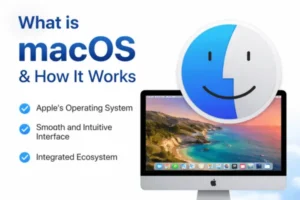
What is macOS: Users who are investigating Apple’s ecosystem or thinking about moving from other operating systems frequently ask what Mac OS is and how it operates. Apple Inc. created the proprietary operating system known as Mac OS for their range of Mac computers, which includes the MacBook, iMac, and Mac Studio. Mac OS, which is well-known for its slick design, strong security, and easy connection with other Apple products, is essential to providing a seamless and effective user experience.
Since its initial release as Mac OS X in 2001, mac OS has undergone substantial development. Because of its Unix-based foundation, it guarantees performance, reliability, and sophisticated features for both regular users and experts. Users can maximize productivity, optimize efficiency, and fully utilize macOS’s capabilities by understanding how it operates.
This essay, which is intended for a UK audience, will examine what mac OS is, how it functions, its main features, the most recent upgrades, and system requirements.
Key Features of Mac OS
macOS stands out due to its powerful features and user-centric design. Below are the core elements that define its functionality and popularity.
1. User-Friendly Interface
One of the most appealing aspects of macOS is its clean and intuitive interface. The desktop layout includes:
- Dock for quick access to applications
- Menu Bar for system controls
- Finder for file management
This design ensures users can navigate the system efficiently, even with minimal technical knowledge.
2. Unix-Based Architecture
macOS is built on a Unix foundation, which provides:
- High system stability
- Efficient memory management
- Strong multitasking capabilities
As a result, the system rarely crashes and performs reliably under heavy workloads.
3. Seamless Ecosystem Integration
macOS works seamlessly with other Apple devices such as:
- iPhone
- iPad
- Apple Watch
Features like Handoff, AirDrop, and Universal Clipboard allow users to move tasks and files across devices effortlessly.
4. Advanced Security Features MacOS
Security is a major strength of Mac OS. It includes:
- Gatekeeper (controls app installations)
- XProtect (built-in malware protection)
- FileVault (disk encryption)
These features work together to safeguard user data and prevent unauthorised access.
5. Optimised Performance
macOS is specifically designed for Apple hardware. This tight integration ensures:
- Faster performance
- Better battery life on MacBooks
- Efficient resource utilisation
Unlike many other operating systems, macOS delivers consistent performance without requiring frequent maintenance.
6. Built-in Applications
macOS comes preloaded with a range of useful applications, including:
- Safari (web browser)
- Mail (email client)
- Photos (media management)
- iMovie and GarageBand (creative tools)
These apps reduce the need for third-party software for basic tasks.
What’s New / Latest Updates in macOS
Apple releases regular updates to improve performance, enhance security, and introduce new features. Recent macOS versions have brought several notable improvements.
1. Improved System Performance
Recent updates focus heavily on speed and efficiency. Apps launch faster, and system responsiveness has improved, particularly on Apple Silicon chips like M1 and M2.
2. Enhanced Privacy Controls
Apple has strengthened privacy by introducing:
- App tracking transparency
- Detailed permission controls
- Mail privacy protection
These features give users greater control over their personal data.
3. Redesigned System Settings
The System Settings interface has been redesigned to be more aligned with iOS, making it easier for users to find and manage options.
4. Stage Manager
Stage Manager is a multitasking feature that helps organise open apps and windows. It improves workflow by keeping the desktop clutter-free.
5. Continuity Features
New continuity features allow deeper integration between macOS and iPhones, such as:
- Using iPhone as a webcam
- Answering calls directly on Mac
- Sending and receiving messages seamlessly
6. Gaming Improvements What is MacOS
Although macOS has not traditionally been known for gaming, recent updates include better support for game developers and improved graphics performance.
How macOS Works
To fully understand what macOS is and how it works, it is important to look at its core structure and operational processes.
1. Kernel and Core System
At the heart of macOS is the XNU kernel, which combines:
- Mach kernel (for low-level operations)
- BSD (Berkeley Software Distribution) for Unix functionalities
This hybrid kernel manages:
- Hardware communication
- Memory allocation
- Process scheduling
2. File System Management
macOS uses the Apple File System (APFS), which is designed for modern storage technologies such as SSDs. APFS provides:
- Fast file access
- Strong encryption
- Efficient storage management
3. Application Frameworks
macOS provides developers with frameworks like:
- Cocoa
- SwiftUI
These frameworks enable the creation of responsive and visually appealing applications.
4. Graphical User Interface (GUI)
The GUI layer is what users interact with. It includes:
- Windows
- Icons
- Menus
This layer translates user actions into system commands.
5. Hardware Integration
macOS is tightly integrated with Apple hardware. This means:
- Drivers are pre-optimised
- Hardware compatibility issues are minimal
- Performance is consistent across devices
6. Security Layers
Security in macOS operates in multiple layers:
- Hardware-level protection
- OS-level security protocols
- App sandboxing
These layers work together to protect the system from threats.
System Requirements What is MacOS
Understanding system requirements is essential for running macOS smoothly. These requirements vary depending on the version.
Minimum Requirements
To run macOS, a system typically needs:
- A compatible Mac device (generally models from the last 7–8 years)
- At least 4GB of RAM
- Around 20–35GB of available storage
- Basic internet connectivity for updates
These minimum requirements allow the system to function but may not deliver optimal performance.
Recommended Requirements
For the best experience, the following specifications are recommended:
- 8GB or more RAM
- SSD storage with at least 256GB capacity
- Apple Silicon chip (M1 or newer) or modern Intel processor
- Stable high-speed internet connection
With these specifications, users can enjoy smoother multitasking, faster app launches, and better overall performance.
Advantages of macOS
In addition to its features, macOS offers several advantages:
- Reliability: Fewer system crashes and consistent performance
- Security: Lower risk of malware compared to other platforms
- Design: Clean and modern interface
- Ecosystem: Seamless integration with Apple devices
These advantages make macOS a preferred choice for professionals, creatives, and everyday users alike.
Limitations of macOS
Despite its strengths, macOS also has some limitations:
- Limited hardware compatibility (only works on Apple devices)
- Fewer gaming options compared to Windows
- Higher cost of entry due to premium hardware
However, for many users, the benefits outweigh these drawbacks.
Apple Innovations 2026: What’s New in macOS and Apple Technology
Conclusion: What is macOS
One of the most sophisticated and user-friendly operating systems on the market today can be better understood by knowing what Mac OS is and how it functions. MacOS, which is based on a Unix-based architecture, offers a better computing experience by combining security, performance, and seamless integration.
Mac OS is made to satisfy the needs of both novice and expert users, from its user-friendly interface to its robust underlying architecture. Additionally, frequent upgrades guarantee that it is safe, effective, and compliant with contemporary technology requirements.
MacOS remains a dependable and cutting-edge platform for consumers in the UK and elsewhere, particularly for those who have already made an investment in the Apple ecosystem. Users may fully utilize all that Mac OS has to offer and make educated selections by being aware of its features and system requirements.
Homepage: https://worldmacpc.com/
Leave a Reply